www.anycubic.com
24
Loading Filament
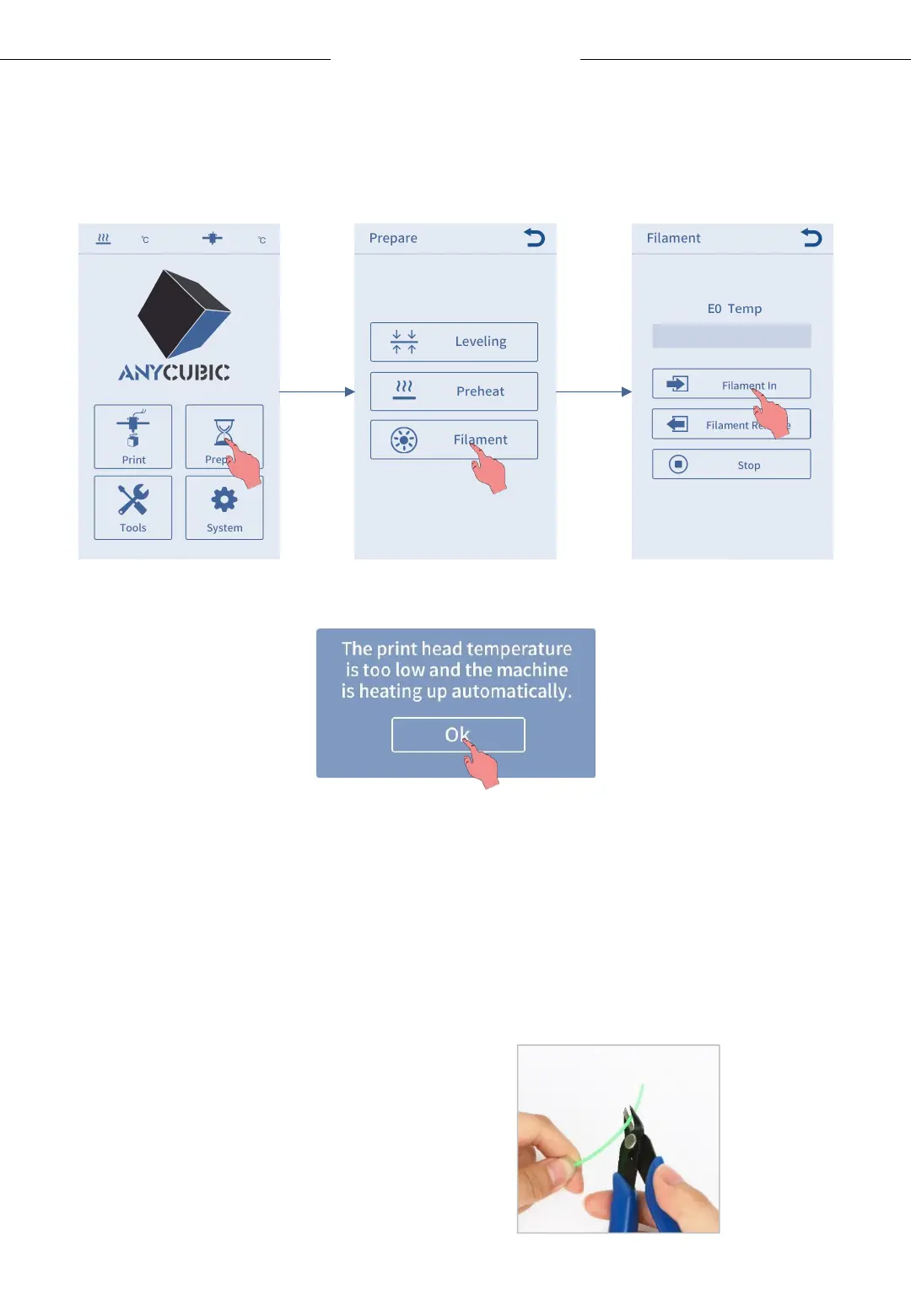
1. Return to main menu, click Prepare → Filament → Filament In, and the
heating up interface will pop up, click “OK”.
23/230
2. Straighten the end of filament, and place the filament on the filament
holder (Please note the feeding direction of filament). Then pass the
filament through filament sensor, and insert it to the extruder till the
gear. Now, wait for the nozzle reaches to the target temperature as
shown on the display screen.
Please straighten the end
of filament before insert it.












 To Next Page