www.anycubic.com
27
Printing Models
After the leveling and filament feeding are completed, the printing can be
started. A printable file "owl.gcode" has been preloaded in the memory
card and the users can print it directly.
* In order to let the printer better recognize the GCode file in the memory
card, you need to back up all the files in the memory card to the
computer, and keep the memory card only for the GCode files. Please
save all the GCode files in root directory of the memory card.
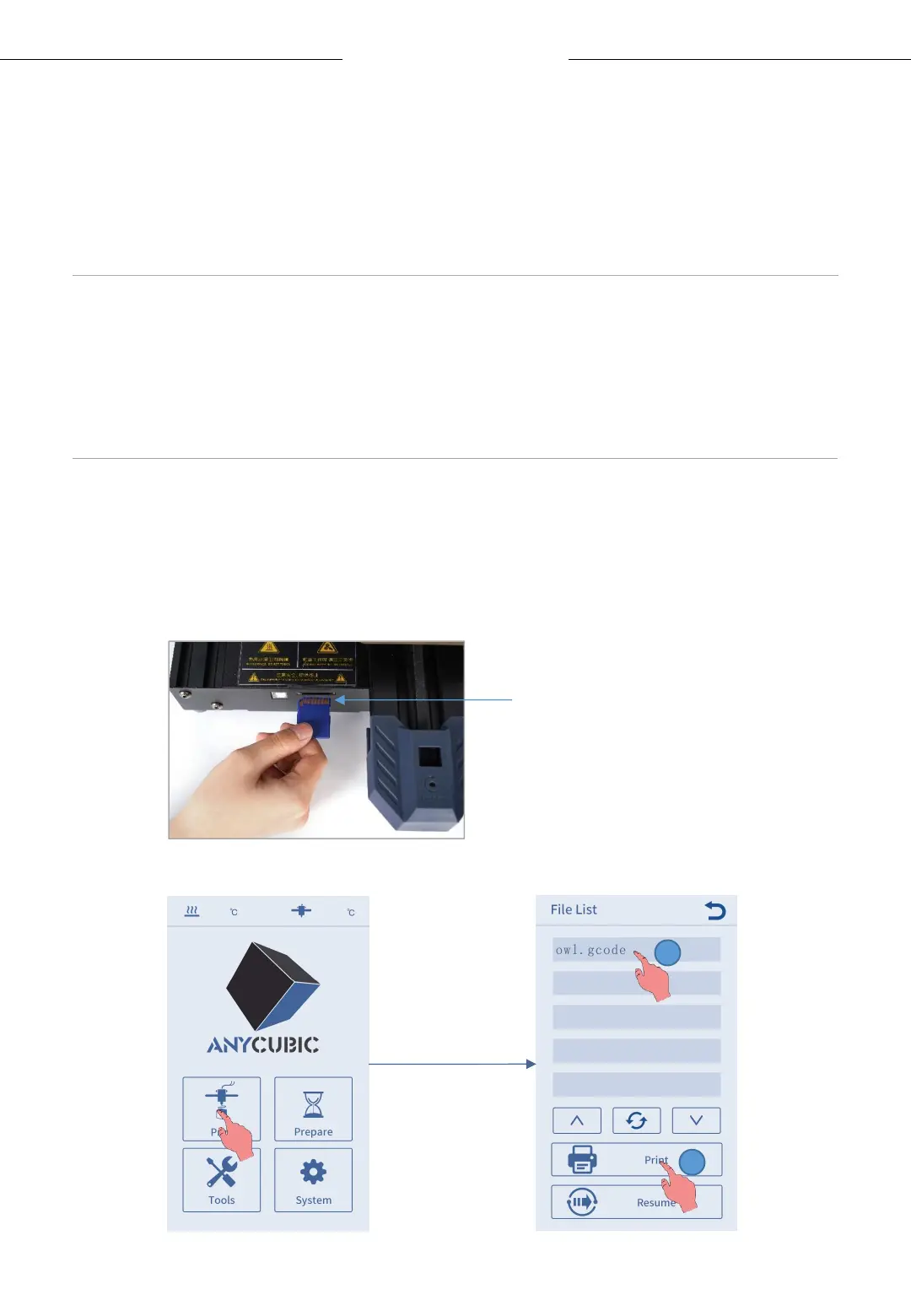
1. Insert the memory card into the memory card slot, and choose the
“owl.gcod e” file to print. (owl, author:etotheipi,www.thingiverse.com)
Metal side up
1
2












 To Next Page