www.anycubic.com
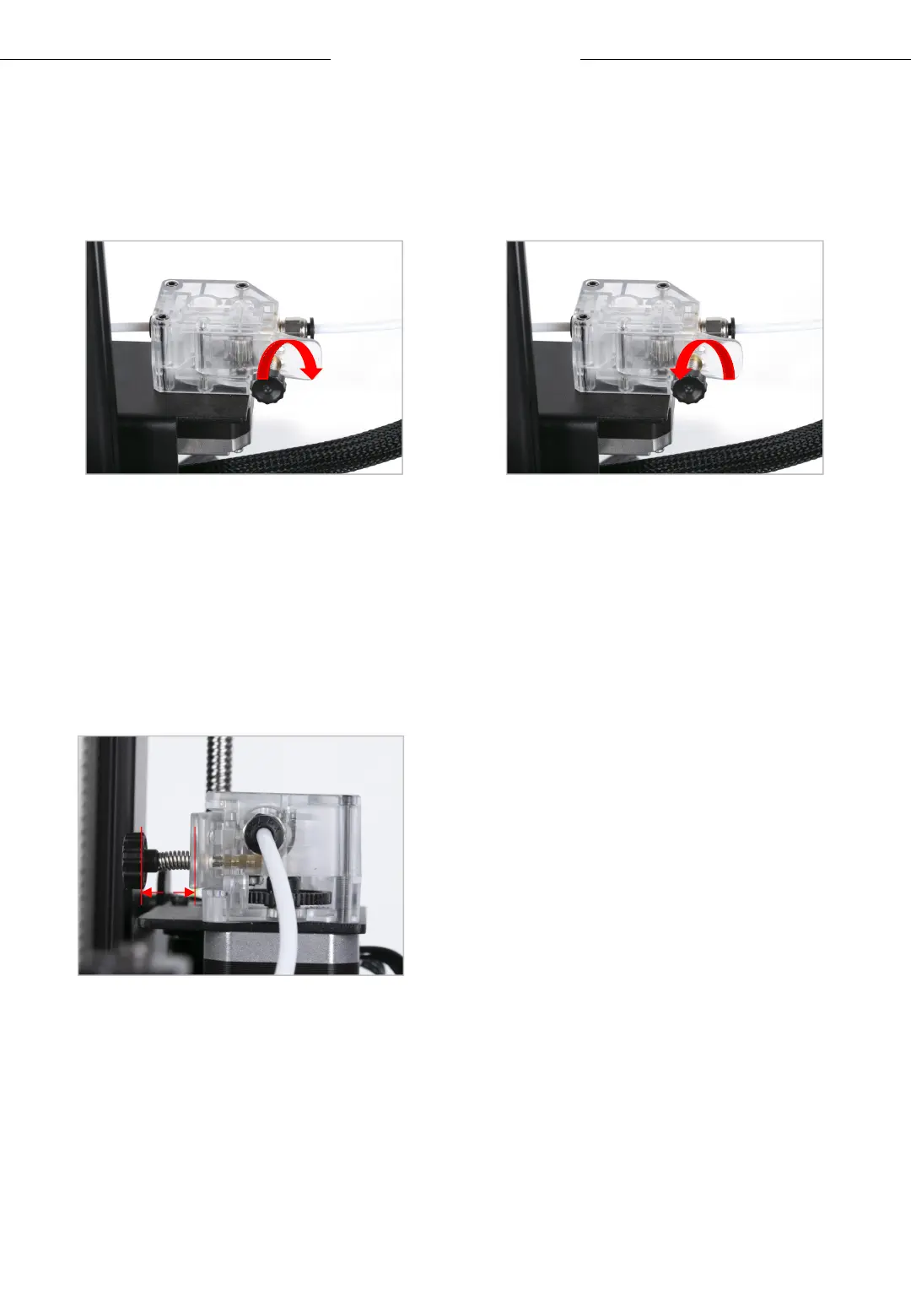
Note: During feeding, if the melted filament is not smooth or too thin,
please adjust the extrusion force by rotating the knob as shown below.
26
Loading Filament
If the melted filament is
not smooth, please
increase the extrusion
force by rotating clockwise.
If the melted filament is
too thin, please reduce
the extrusion force by
rotating counterclockwise.
Note: The better distance for
extruding filament is about 18
mm.You may adjust the distance of
the screw for the different filament.
~18mm












 To Next Page