www.anycubic.com
23
Leveling
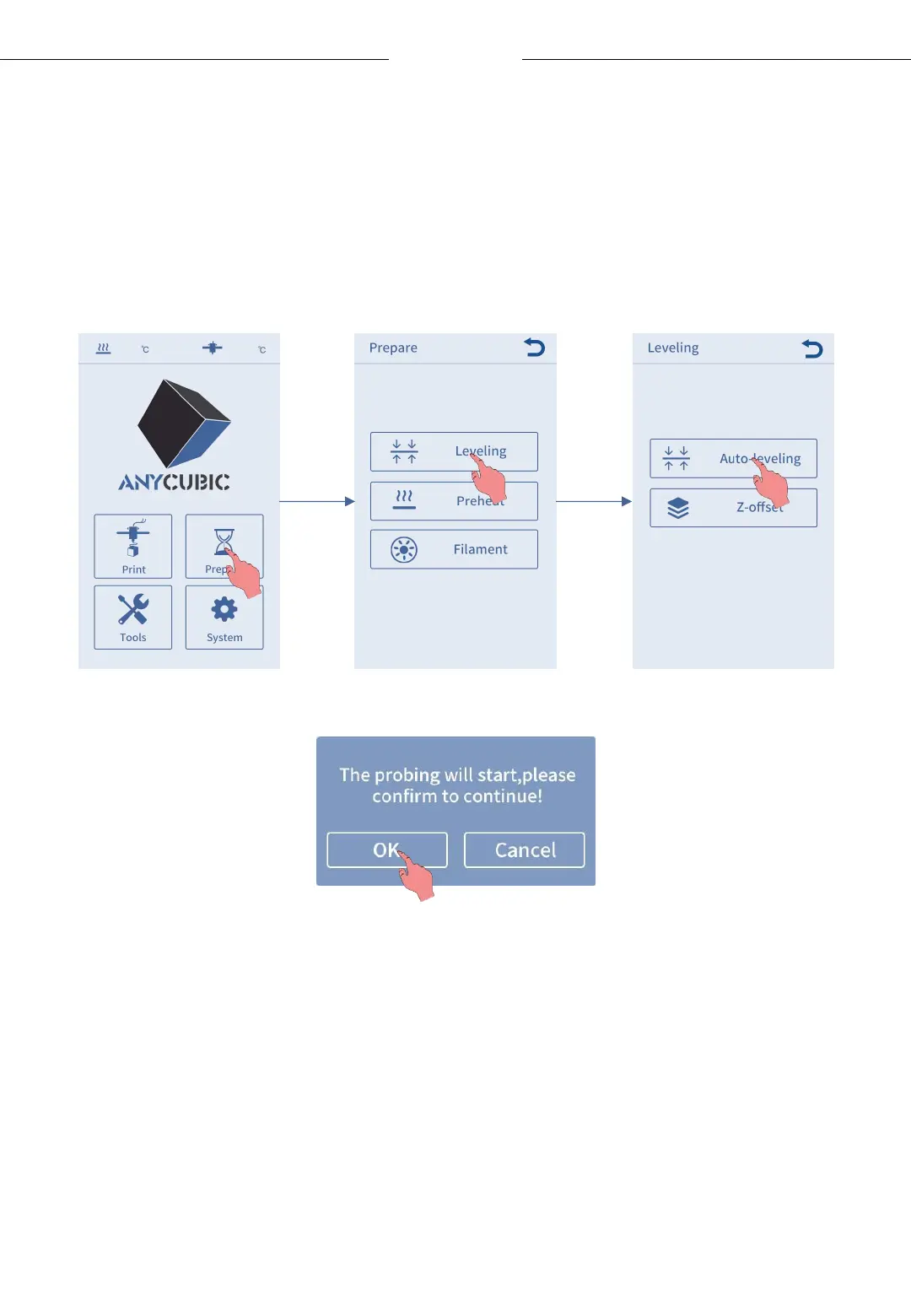
2. Return to main menu, then click Prepare → Leveling → Auto-leveling.
The confirm interface will pop up, click “OK” and the print head will
automatically probe the spots on the platform.
* The print head will heat up before probing the platform. Please do not
touch the nozzle to prevent scalding.












 To Next Page