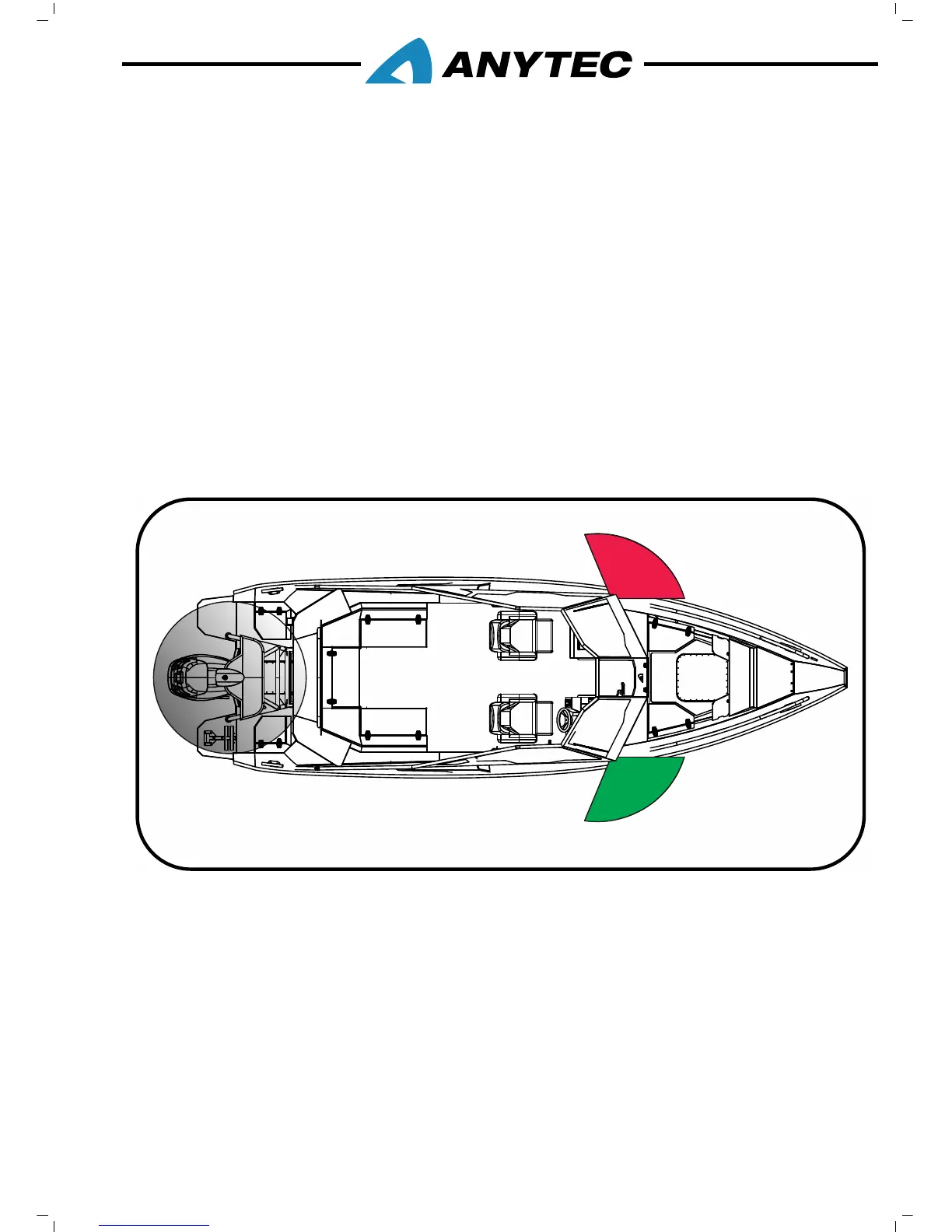
4.3 NAVIGATION LIGHTS
Your boat comes equipped with navigation lights for use at night or in low visibility
conditions. The use of navigation lights at low visibility conditions is mandatory in most
countries and waters; it is always important for your own, as well as other’s safety at sea.
Local regulations may vary.
The navigation light switches are located at the dash switch panel.
To turn on the Navigation Lights, press “Navigation lights” button (refer chapter 3.11.3).
This illuminates the port (red), starboard (green) and all-around light (white) showing
other vessels that you are underway.
There is a separate button to active the Anchor light. If activated, only the white all-
round light turns on. To turn off the Navigation Lights, press “Navigation lights” or
“Anchor light” buttons again.
Before running at night, make sure that all navigation lights are working well and that you
comply with any local regulations.
Principal figure only
1. 112.5⁰ Port navigation light (red), visible 2NM
2. 112.5⁰ Port navigation light (green), visible 2NM
3. 360⁰ All around light (white), visible 2NM
4.4 BILGE PUMPS
Your vessel is equipped with two bilge pumps, one electrical and one manual.
The electrical pump is located in the bilge near the transom, and the manual pump is
located on the outside of the stern cockpit, close to the engine well.



 To Next Page