© Ikonix USA
30
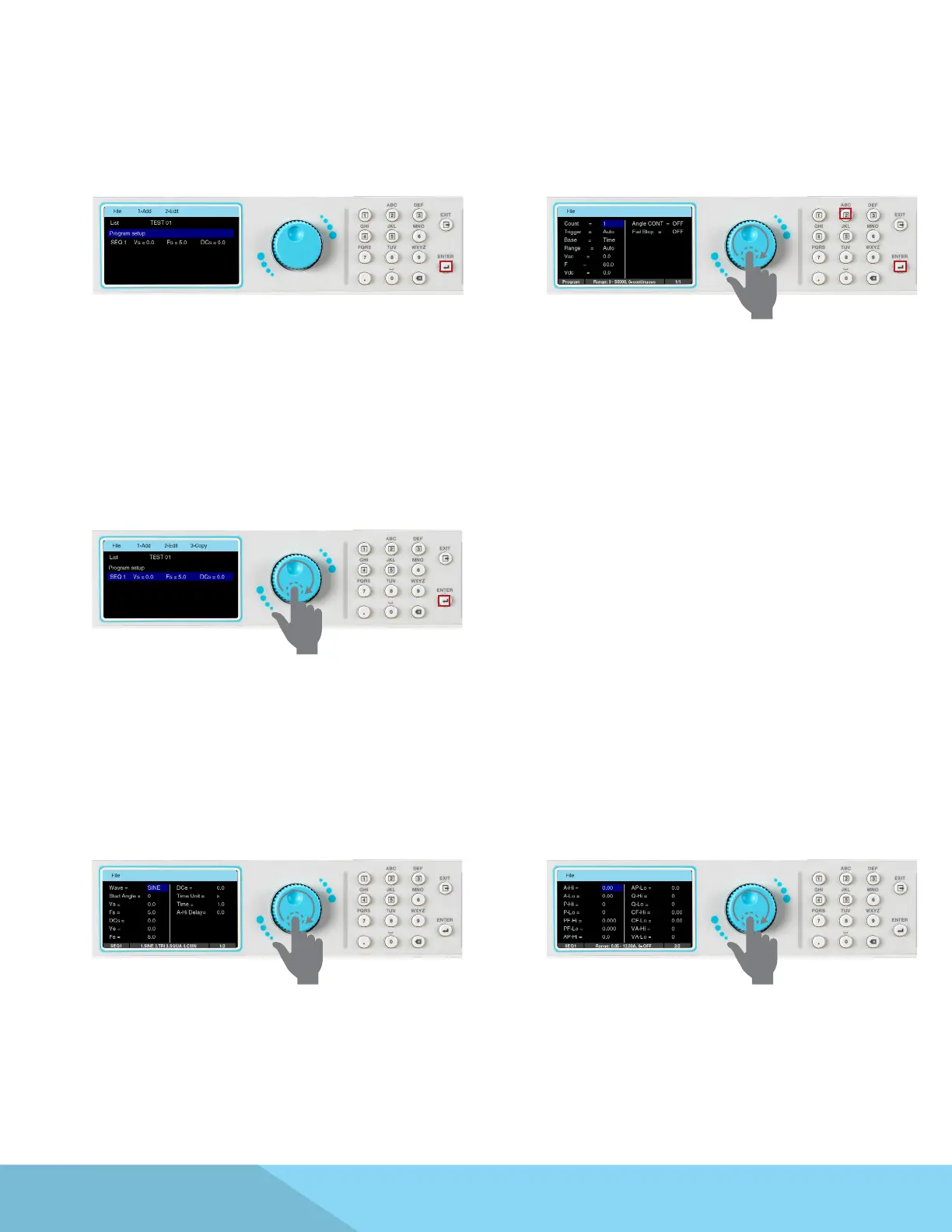
7. After entering the le name press the ENTER
key on the keypad to save the le name and
display the Program Setup along with the rst
sequence. The next screen will also display the
Add and Edit option on the menu bar:
8. Use the rotary knob to highlight Program
Setup or the rst sequence parameters. To edit
the parameters you can do one of the following:
press the rotary knob, press the ENTER key or the
number 2 key on the keypad. The Program Setup
screen displays the following parameters:
9. The sequence setup has two screens, one for
test parameters and another that allows you
to program additional metering. To view the
sequence test parameters highlight the rst
sequence and press the rotary knob or the ENTER
key:
10. The next screen will display the rst page of
the sequence setup. Use the rotary knob to view
both screens of the sequence setup:



 To Next Page