© Ikonix USA
26
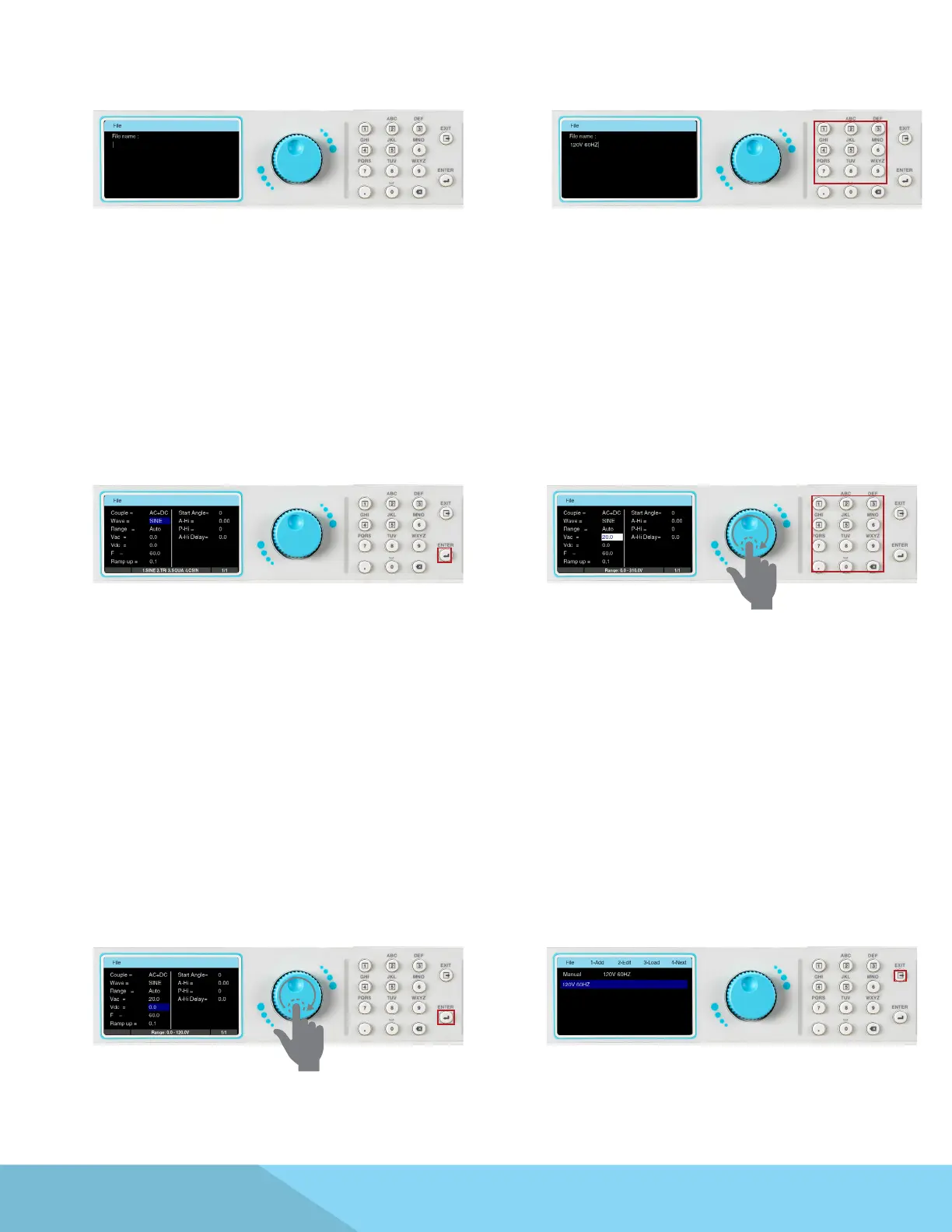
7. The next screen will display a eld with a
blinking cursor to enter a name for the le:
8. Use the keypad to enter a name for the test
le (23 character limit):
9. After entering the le name press the ENTER
key on the keypad to save the le name and
display the test parameters for editing:
10. The test parameters can be edited in the
exact same manner as the system parameters,
using a combination of the rotary knob and
keypad. To edit a test parameter use the rotary
knob to highlight the parameter and press the
rotary knob to edit the parameter:
11. Use the rotary knob or keypad to edit the
test parameter value. The available range or
settings for the test parameter being edited
will be displayed at the bottom of the screen.
Once the desired value of the test parameter is
entered press the rotary knob or the ENTER key
on the keypad to save the value and move to
the next test parameter:
12. Once all test parameters have been
programmed press the EXIT key on the keypad
and the screen will display your newly created
test le (along with other test les that may
have already been saved):



 To Next Page