© Ikonix USA
39
7. After entering the le name, press the ENTER
key on the keypad to save the le name and
display the test parameters for editing:
8. The test parameters can be edited in the
exact same manner as the system parameters
using a combination of the rotary knob and
keypad.
4.4.8 Pulse Mode – Test Parameters
The Pulse Mode allows the user to create and generate single or multiple pulses with your dened voltage.
The Pulse mode can be used to create a wide range of waveforms to simulate power grid faults and
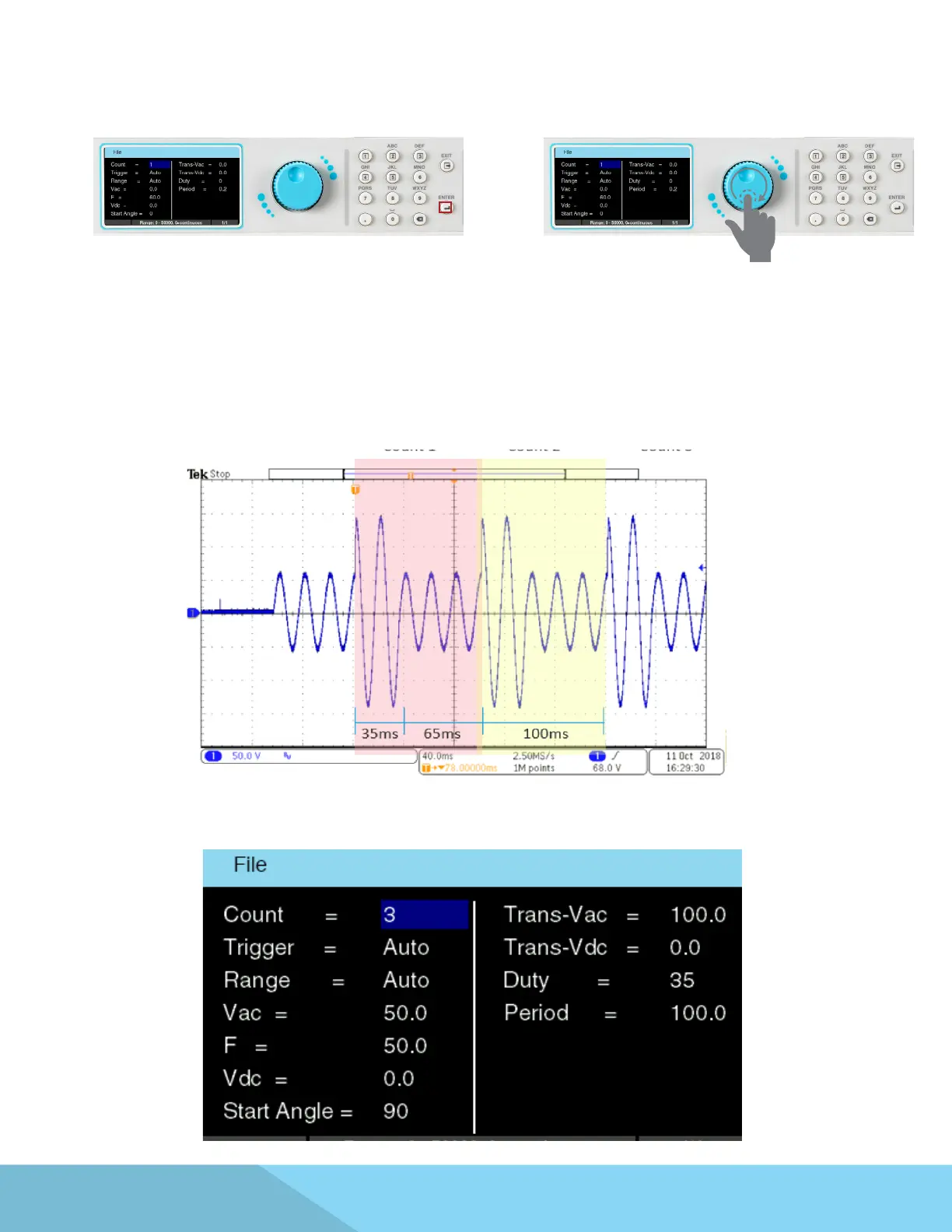
disturbances. A typical waveform for Pulse Mode with three sequences will look as follows:
The above waveform was generated using the following parameters of the Step Mode:



 To Next Page