AQUA SALT
+
MAINTENANCE AND INSTRUCTION MANUAL
Salt chlorine genera ENGLISH
ADSP7000753 rev. 5.0 09/07/2019 37/51
8.1 HOW TO CONNECT THE DEVICE TO THE PC AND CONFIGURE THE SYSTEM
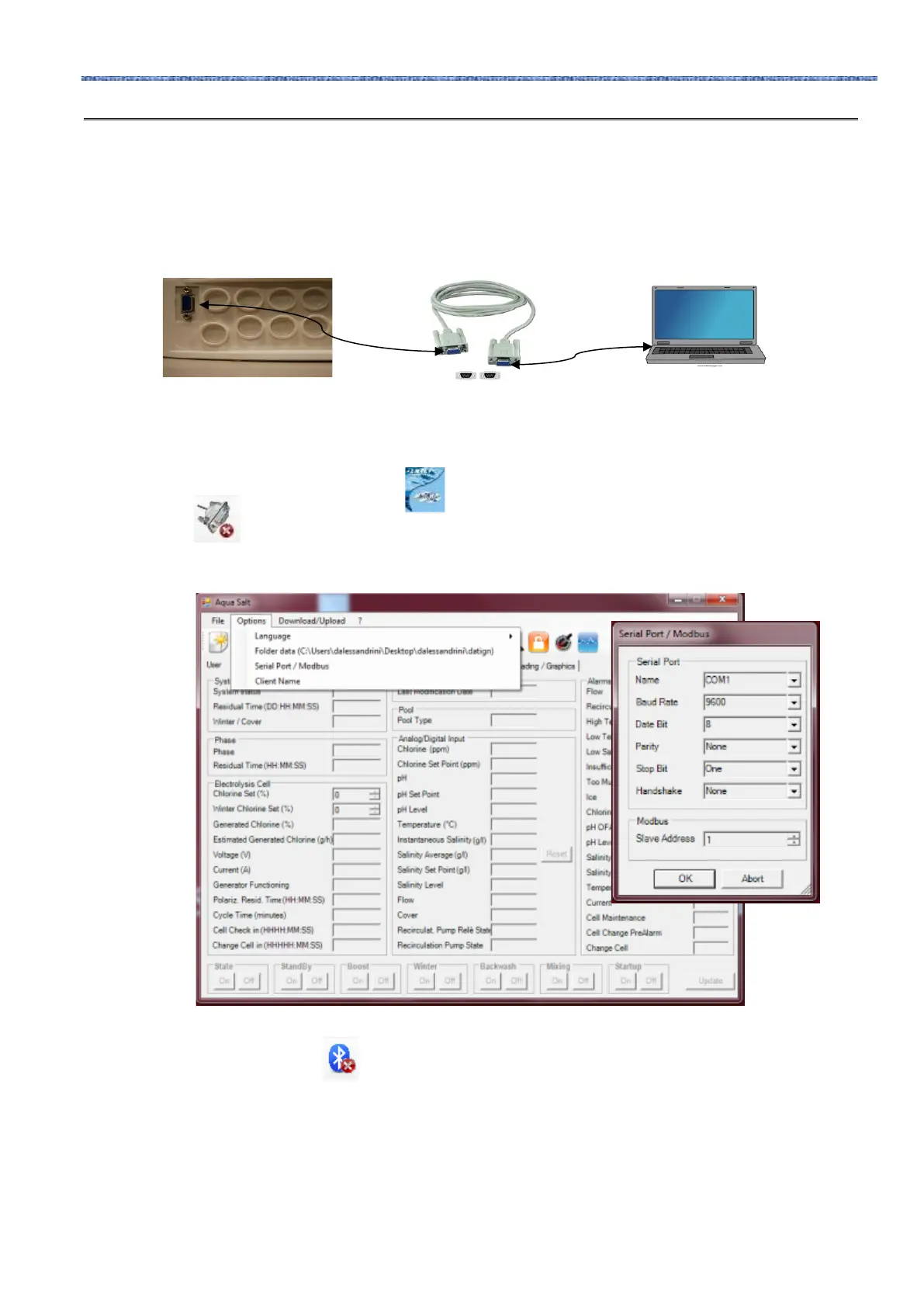
Connect AQUA SALT
+
to the PC through the serial ports with a serial cable as shown below:
You can use an RS232→USB adaptor if the PC has no serial ports. In order for the devices to communicate, it is necessary to
use a null modem serial cable, or a straight serial cable with a null modem adaptor.
Install the software provided on the CD and run the programme by clicking on the icon that will appear on the desktop at the
end of installation.
Click on the icon on the icon bar to activate the serial connection with the PC. Insert the default password 0000 and
confirm the connection request.
Click on the Configurations→Serial port/modbus and set the required fields. The default values are usually correct.
You can also connect the device to the PC through the Bluetooth connection (if the controller is equipped with Bluetooth
module) by clicking on the icon
8.2 AQUA SALT
+
SOFTWARE PRESENTATION
The AQUA Salt
+
management software controls the parameters and programmes the work of your chlorine generator .
The software has three menus (1), icons for quicker operations (2), seven tabs (3), buttons to run some programmes or to
pause the device (4) as indicated by the picture below.



 To Next Page