AQUA SALT
+
MAINTENANCE AND INSTRUCTION MANUAL
Salt chlorine genera ENGLISH
ADSP7000753 rev. 5.0 09/07/2019 39/51
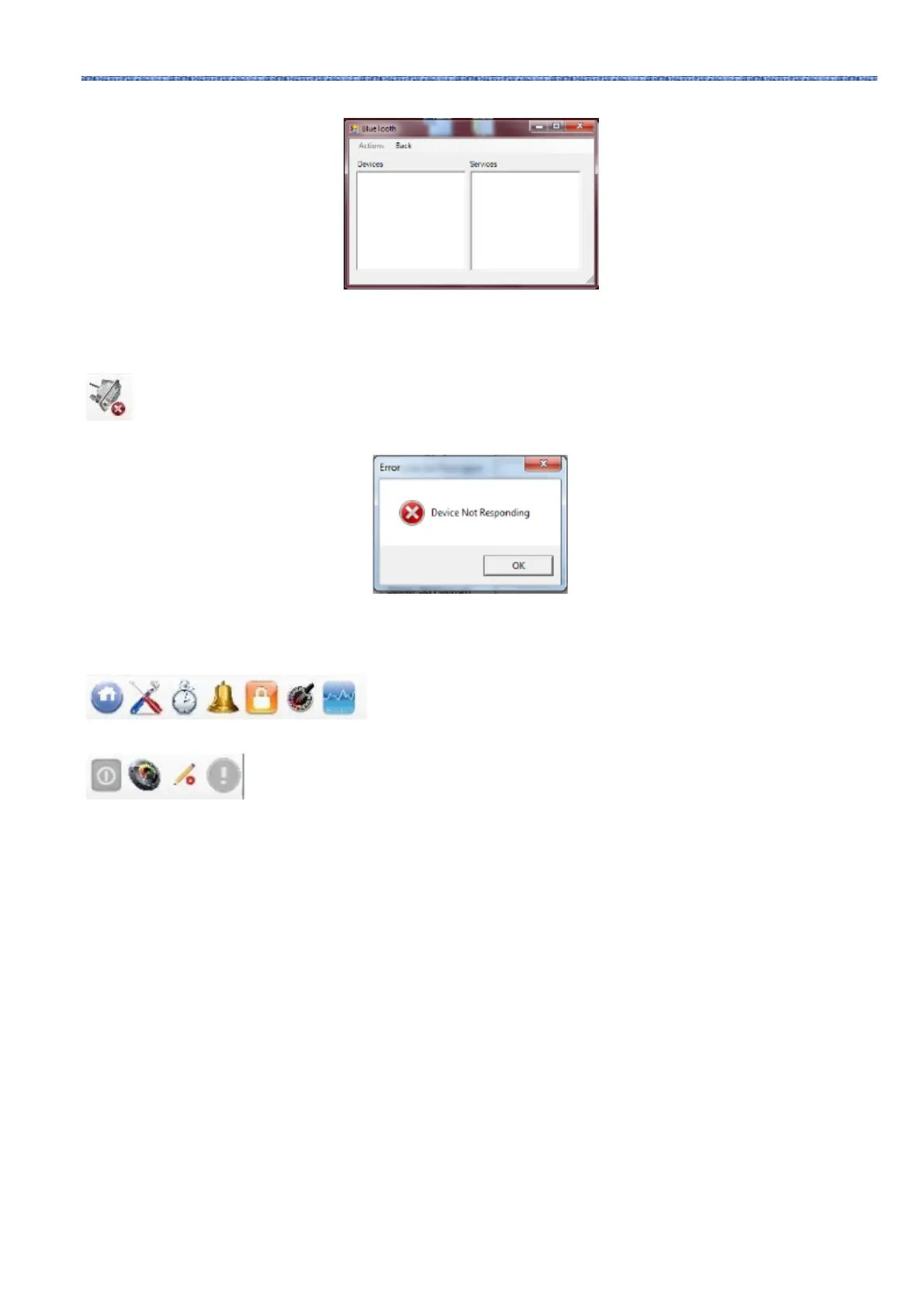
• Click on Actions → Bluetooth Radio On → Searching devices.
• The devices found will appear.
• Double click on the selected device for quick connection.
• Confirm the connection request and insert the password.
By clicking on the serial icon, it is possible to connect the device and the PC through serial interface. After confirming
the connection request and inserting the password, the two terminals are connected and the procedure is over. In case the
error window should appear:
Check the correct connections of the cables, and make sure that the serial cable is a crossed one. In case the error window
"non-chlorine generating device" appears, check that the device connected is a chlorine generator, and that firmware and
software are compatible.
Clicking on one the user, settings, timer, alarms, password, saturation index
and graphs icons, you will access the respective tabs.
State, page state, reading/writing, page modified icons show: if the device is on, off or paused; if
page content is valid (green sector) or not (red sector); if the visualized page can be modified or it is a read-only page; if
some parameters have been changed and therefore the page has to be saved not to lose them.



 To Next Page