1-17
Table 1.6 - Itemized Front Panel Description (continued)
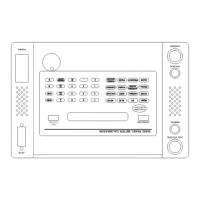
(See Figure 1.2)
____________________________________________________________________________
FIG. 1.2
Row, Col. KEYS FUNCTION
____________________________________________________________________________
A1 RESET Pressing the RESET key returns the PMC to the Reset state. The
Reset state is indicated by illumination of the RESET LED and
DC, 60Hz or 400Hz? on the display. The Reset state may be
entered from almost every other possible state. The RESET key
is the only active key during GPIB operation. Depressing
RESET returns the PMC to Local mode.
A2 DC Selects DC Operating mode and illuminates the DC LED.
A3 60 Hz Selects 60 Hz Operating mode and illuminates the 60 HZ LED.
A4 400 Hz Selects 400 Hz Operating mode and illuminates the 400 Hz LED.
A5 V/A Selects the units of VOLTS or AMPS depending upon whether
VOLTAGE or CURRENT output was previously selected.
A6 OPER Selects Operate state and illuminates the OPER LED indicator.
Voltage and/or current are available at the respective output
connectors.
B1 STORE Stores the present output settings in the next available memory
location. The STORE LED will be illuminated whenever there
are settings stored in the user memory. A flashing STORE LED
indicates that all user memory locations are full.
B2 NORMAL Selects normal display mode and illuminates the NORMAL LED.
Output values are shown with standard units. If the MODIFY UP
or DOWN keys are depressed at the same time the NORMAL
key is pressed, the "modify rate" will increase.


 To Next Page