1-18
Table 1.6 - Itemized Front Panel Description (continued)
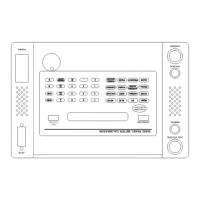
(See Figure 1.2)
____________________________________________________________________________
FIG. 1.2
Row, Col. KEYS FUNCTION
____________________________________________________________________________
B4 VOLTAGE Selects voltage mode and illuminates the VOLTAGE LED. If
Power, Power Factor, Phase, or Synchroscope output modes have
been previously selected, pressing VOLTAGE allows the user to
enter or modify the voltage value without changing output
modes.
B5 MV/MA Selects the units of millivolts or milliamps depending upon
whether VOLTAGE or CURRENT was previously selected.
B6 STBY Selects Standby state and illuminates the STBY LED. No
voltage or current outputs are available at the output connectors.
C1 RECALL Sequentially recalls stored output settings from the user memory
to the display. The output settings can be repeatedly recalled.
Using the keypad, entering 0 followed by RECALL recalls the
first stored value. A number other than 0 followed by RECALL
increments the recall sequence by that number.
C2 SYNCHROSCOPE Selects the synchroscope mode, sets the output voltage to 120.0
Volts at the selected frequency, and illuminates the
SYNCHROSCOPE LED. The phase angle between the Aux.
Voltage and Main Voltage outputs is displayed. The phase angle
is toggled between 0ø and 180ø by successive presses of the
SYNCHROSCOPE key.
C3 POWER Selects Power mode and illuminates the POWER LED. Once in
Power mode Power, Phase, Voltage, Current or Frequency may
be selected and adjusted. Depressing the Power key with the
POWER LED illuminated will alternate the display between
POWER and VARS. Entering a new power level in watts will
modify only the Current setting.


 To Next Page