1-19
Table 1.6 - Itemized Front Panel Description (continued)
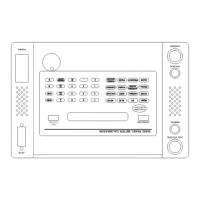
(See Figure 1.2)
____________________________________________________________________________
FIG. 1.2
Row, Col. KEYS FUNCTION
____________________________________________________________________________
C4 CURRENT Selects current mode and illuminates the CURRENT LED. If
Power, Power Factor, or Phase output modes have been
previously selected, pressing CURRENT allows the user to enter
or modify the current value without changing the output mode.
C5 W/HZ Selects the units of WATTS or HERTZ depending upon whether
POWER or FREQUENCY was previously selected.
C6 MODIFY UP (UP
arrow)
Increases the displayed value. The value will continue to
increase if the key is held down. Continuing to press this key
down and depressing the NORMAL or DOWN ARROW key will
increase the rate of modification.
D1 CLEAR Clears the entire user stored instrument settings in memory.
D2 FREQUENCY Selects Frequency-display mode, illuminates the FREQUENCY
LED and allows entry or modification of the frequency value.
The FREQUENCY LED is also illuminated when the 60 HZ or
400 HZ keys are pressed.
D3 PHASE Selects Phase display mode, illuminates the PHASE LED, and
allows entry or modification of the relative phase angle between
the voltage and current outputs. Voltage, Current, Frequency,
Power/VARS and Phase/Power Factor may all be modified while
in the Phase mode.
D4 POWER FACTOR Selects Power Factor mode, illuminates the POWER FACTOR
LED and allows entry or modification of Power Factor. Voltage,
Current, Frequency, Power/VARS and Phase/Power Factor may
all be modified while in the Power Factor mode.


 To Next Page