MANUAL
V1.0
TV+
THE TV PROGRAM GUIDE > P. 65
Select the “Test power Off code” button. Make sure that your tuner is on. Your
ARCHOS device will then try to turn your tuner off. After a few seconds, your
ARCHOS will ask you if the device responded correctly:
If your tuner turned off, select “Yes”, and move on to the next section.
If your tuner did not turn off, select “No, try next code”. Your device will try turn-
ing the tuner off again, using a different code. Repeat this operation until the
ARCHOS manages to turn the tuner off.
If none of the codes work, check that the ARCHOS is positioned in a way that
allows the infrared signal to reach your tuner’s receiver. Note: In some rare
cases the ON/OFF functionality may not work.
2
nd
Test: changing channels on your tuner
After you select “Yes” at the end of the 1
st
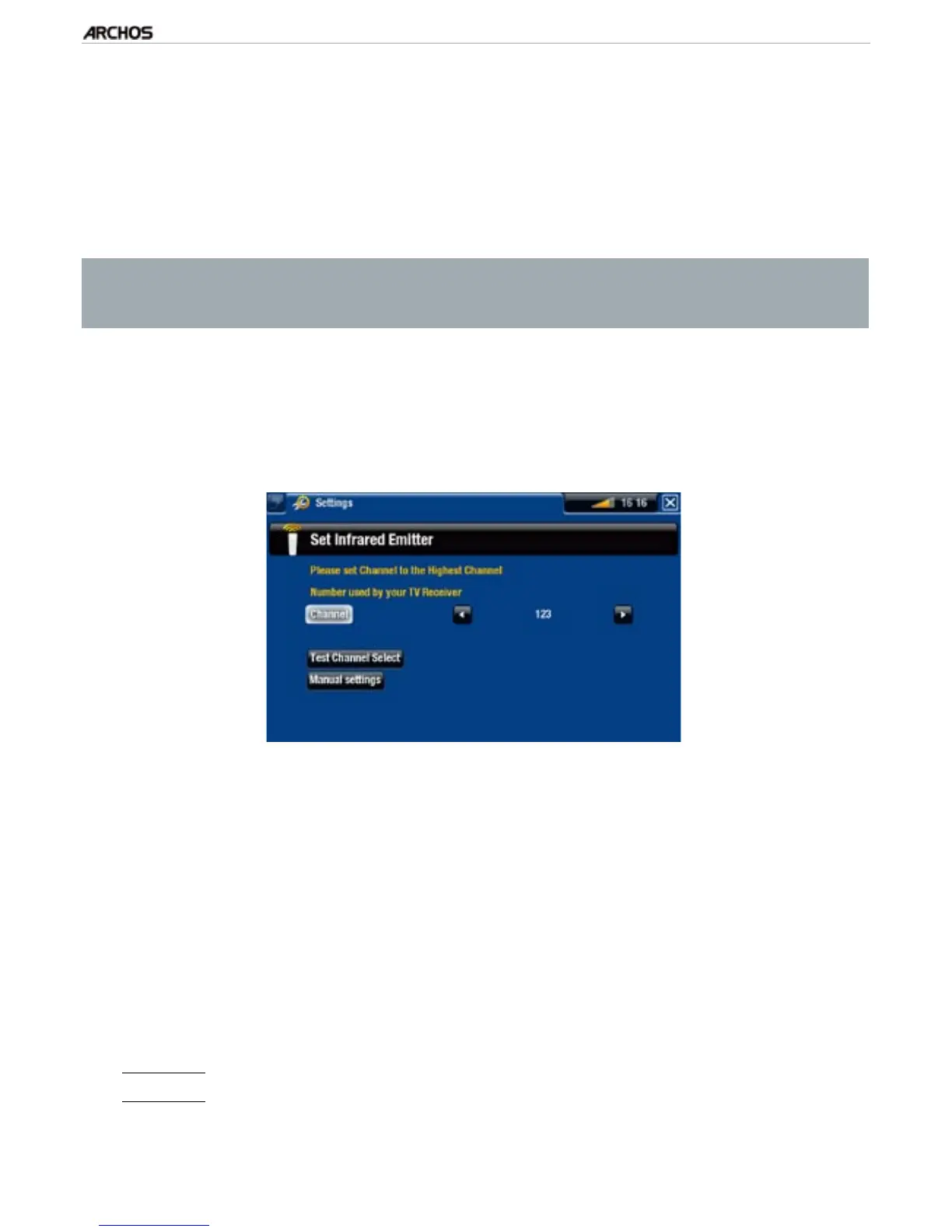
test, the following screen appears. It allows
you to correctly set the parameters so that the ARCHOS can change channels on your
tuner (for a scheduled recording).
For the “Channel” parameter, select the highest channel that is currently memo-
rized on your tuner.
Select the “Test channel select” button. Make sure that your tuner is on. Your
ARCHOS device will then attempt to switch your tuner to the selected channel.
After a few seconds, your ARCHOS will ask you if the device responded correctly:
If this worked, select “Yes”.
If this did not work, select “No, try next option”. Your device will try again to
switch your tuner to the selected channel, using a different option*. Repeat this
operation until it successfully changes the channel on your TV receiver.
*Here is a description of the different parameters automatically set by the ARCHOS:
“Key Delay”:
delay between the emission of each digit of a channel (“Short”, “Normal”, “Long”).
“Key: Enter”:
Set to “On” if normally, you have to press an “OK” button on your turner’s remote control
after you enter the channel number. Example: If you normally press 1, 3, “OK” to access channel 13, then
this parameter is set to “On”.
4.
1.
2.
-
-



 To Next Page