49
7.0 OPERATING NEXUS/STYLUS
7.3 Removing and Reinstalling Stylus Panels
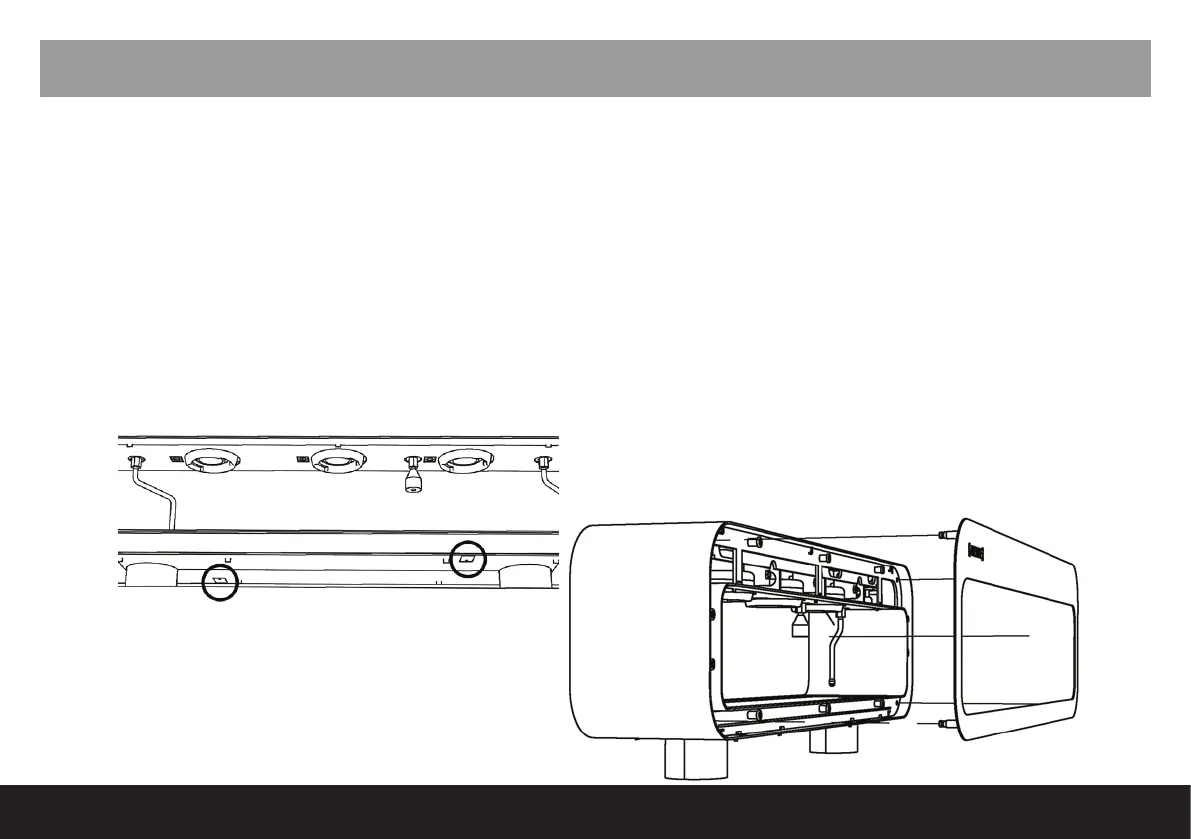
- To remove Stylus panels unscrew both small tabs that are located underneath the outer CTU (see Fig.
1).
- Place nger through the empty tab space and apply light pressure to push out the removable vertical
panels.
- When reinstalling panels, ensure alignment pins line up with the correct corresponding pin-hole (see Fig.
2).
*Please note barista-side and front-side facing panels are different sizes.
Fig. 1
Fig. 2



 To Next Page