EasyManua.ls Logo

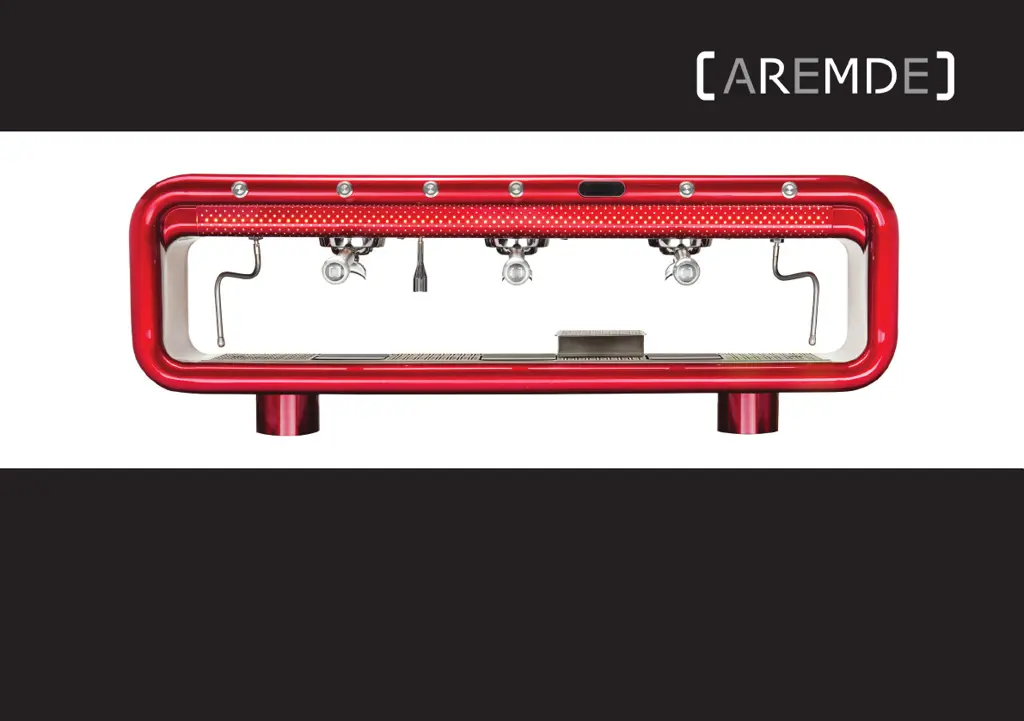
AREMDE NEXUS - User Manual

AREMDE NEXUS
80 pages
Print Icon
To Next Page IconTo Next Page
Loading...
Nexus/Stylus USER MANUAL
NEXUS/STYLUS
USER MANUAL 2 GROUP/3 GROUP - ENGLISH

Questions and Answers

Summary

Manufacturer Information

General Warnings and Safety Precautions

Safety Announcement - Please Read

Important advice for safe installation, operation, and maintenance of the unit.

Technical Specifications Nexus

Technical Specifications Stylus

Receiving and Unpacking Nexus;Stylus

Receiving Nexus;Stylus

Instructions for checking and receiving the delivered Nexus/Stylus unit.

Unpacking Nexus;Stylus

Step-by-step guide on how to safely unpack the Nexus/Stylus machine from its crate.

Identifying Components

Nexus;Stylus Component Identification

Visual identification of the main Nexus/Stylus machine components.

Accessories Pack

Identification of items included in the accessories pack.

Connection Pack

Identification of items included in the connection pack.

Accessories Pack Items

Detailed list of accessories with codes for 2 and 3 group models.

Connection Pack Items

Detailed list of connection pack items with codes for 2 and 3 group models.

Setting Up Nexus;Stylus

Recommendations And Precautions

Safety recommendations and precautions before starting the setup process.

Compliance With Local Regulations

Guidelines for complying with local installation and supply regulations.

Installation Notes

Important notes and considerations for the installation of the machine.

Installation Requirements

Specifies the required conditions and resources for machine installation.

Installation Precautions

Precautions to be taken during the installation process for safety.

Connecting Nexus;Stylus

Step-by-step instructions for connecting the Nexus/Stylus machine components.

Initial Start Up

Procedures for the initial start-up and filling of the machine.

Programming and Set Up

Programming Modes Overview

Introduction to the programming modes available on the machine.

Technical Mode

Details on accessing and using the Technical programming mode.

Barista Mode

Details on accessing and using the Barista programming mode.

Dosing and Delivery Settings

Configuration of coffee doses, delivery counts, and transfers.

Machine Setup and Maintenance

Settings for active groups, on/off programs, energy saving, and maintenance.

Temperature and Fault Management

Adjusting temperatures, managing faults history, and alarms.

Technical Settings and Information

Steam temperature, language, display, and technician guides.

Operating Nexus;Stylus

Turning Nexus;Stylus On And Off

Instructions for turning the Nexus/Stylus machine on and off.

Operator Buttons

Explanation of the functions of the operator buttons for group heads.

Hot Water Operation

How to operate the hot water dispensing function.

Steam Operation

How to operate the steam dispensing function and purge.

Removing and Reinstalling Stylus Panels

Guide on how to remove and reinstall the Stylus machine panels.

Operating Wexus - Nexus Models Only

Overview

Introduction to the Wexus scales and their functionality with Nexus.

Modes

Explanation of the two operating modes for Wexus scales.

Brewing Mode

Detailed steps for operating the Wexus in Brewing Mode.

Target Set Mode

Detailed steps for operating the Wexus in Target Set Mode.

Start Up And Synchronisation

Guide for starting up and synchronizing Wexus scales with the Nexus.

Wexus Settings

How to access and configure various Wexus scale settings.

Zero Range Setting

Configuration of the zero range for the tare button operation.

Weighing Filter Setting

Adjustment of the weighing filter for response speed and stability.

Default Unit Setting

How to switch the default weighing unit between grams and ounces.

Weighing Resolution Setting

Configuration of the weighing resolution for improved accuracy.

Reset To Default Setting

How to reset all Wexus scale settings to their default values.

Setpoint Offset Setting

Adjustment of the offset parameter for setpoint accuracy.

Tare Delay Setting

Setting the delay for the tare command sent to the scale.

Pre-Infusion Time Out

Configuration of scale timing for auto-start modes and pre-infusion.

Cleaning Wexus

Instructions for cleaning the Wexus scales safely.

Charging Wexus

How to charge the Wexus scales using the provided USB cable.

Cleaning Nexus;Stylus

Operator Surfaces

How to clean the group heads and shower screens of the machine.

Portafilters

Procedures for cleaning portafilters and their handles.

Drip Tray

How to clean the machine's drip tray and remove the strainer.

Steam Wands

Instructions for wiping down and cleaning steam wands.

Polishing Nexus;Stylus

How to polish the machine's exterior surfaces for maintenance.

Warnings

General warnings related to cleaning the machine.

Scheduled Preventative Maintenance

Routine Maintenance

Guidelines for carrying out routine preventative maintenance on the machine.

Warnings

Safety warnings and cautions related to maintenance and operation.

Service Information

Table outlining service intervals for various machine components.

Technician Guides

Common Error Codes And Troubleshooting

List of common error codes and their corresponding solutions for technicians.

Wexus Error Codes

Troubleshooting guide for Wexus-specific error codes.

Computer Error Codes And Troubleshooting

List of computer-related error codes and their solutions for technicians.

Troubleshooting

Operator Troubleshooting

Common troubleshooting questions and answers for machine operators.

Wexus Auto-Tare Issues

Troubleshooting steps for issues with auto-taring the machine with Wexus.

Group Head Cleaning Troubleshooting

Guide on how to clean the machine's group heads using automatic function.

Cleaning Mode Leaks

Troubleshooting guide for leaks occurring during automatic cleaning cycles.

Group Head Cleaning Mode Issues

Troubleshooting steps for group heads not functioning during cleaning mode.

Machine On;Off Procedures

Instructions for turning the Nexus/Stylus machine on and off.

Low Consumption Screen Message

Explanation and exit procedure for the 'LOW CONSUMPTION' screen message.

Error Serial Port Screen Message

Troubleshooting step for the 'ERROR SERIAL PORT' screen message.

Single Group Head Malfunctions

Troubleshooting steps for a single group head not operating correctly.

Flow Error Screen Message

Troubleshooting steps for the 'FLOW ERROR' screen message.

Commercial Warranty

Important Warranty Information

Key warnings and information regarding the commercial warranty.

Commercial And Consumer Warranty

Details of the commercial and consumer warranty terms.

Warranty Classification

Classification of major failures and component lifespan under warranty.

General Maintenance And Repairs

Guidelines for general maintenance, repairs, and water ingress protection.

Marking and Instructions

Information on appliance marking requirements and instructions.

Conditions of Warranty

Actions that will void the equipment's warranty.

Claiming Under Warranty

Procedure for reporting faults and claiming warranty service.

Warranty Request Form

Customer Information

Fields for customer contact and identification details.

Equipment Details

Fields for machine model, serial number, manufacture, and invoice dates.

Description of Fault

Fields for detailing the faulty part, machine fault, and failure date.

AREMDE NEXUS Specifications

General IconGeneral
BrandAREMDE
ModelNEXUS
CategoryCoffee Maker
LanguageEnglish