Cutter Mode
20
Follow the common procedure of “ Loading the Media “ of Standard
Mode from step 1 to 3.
Head
Latch
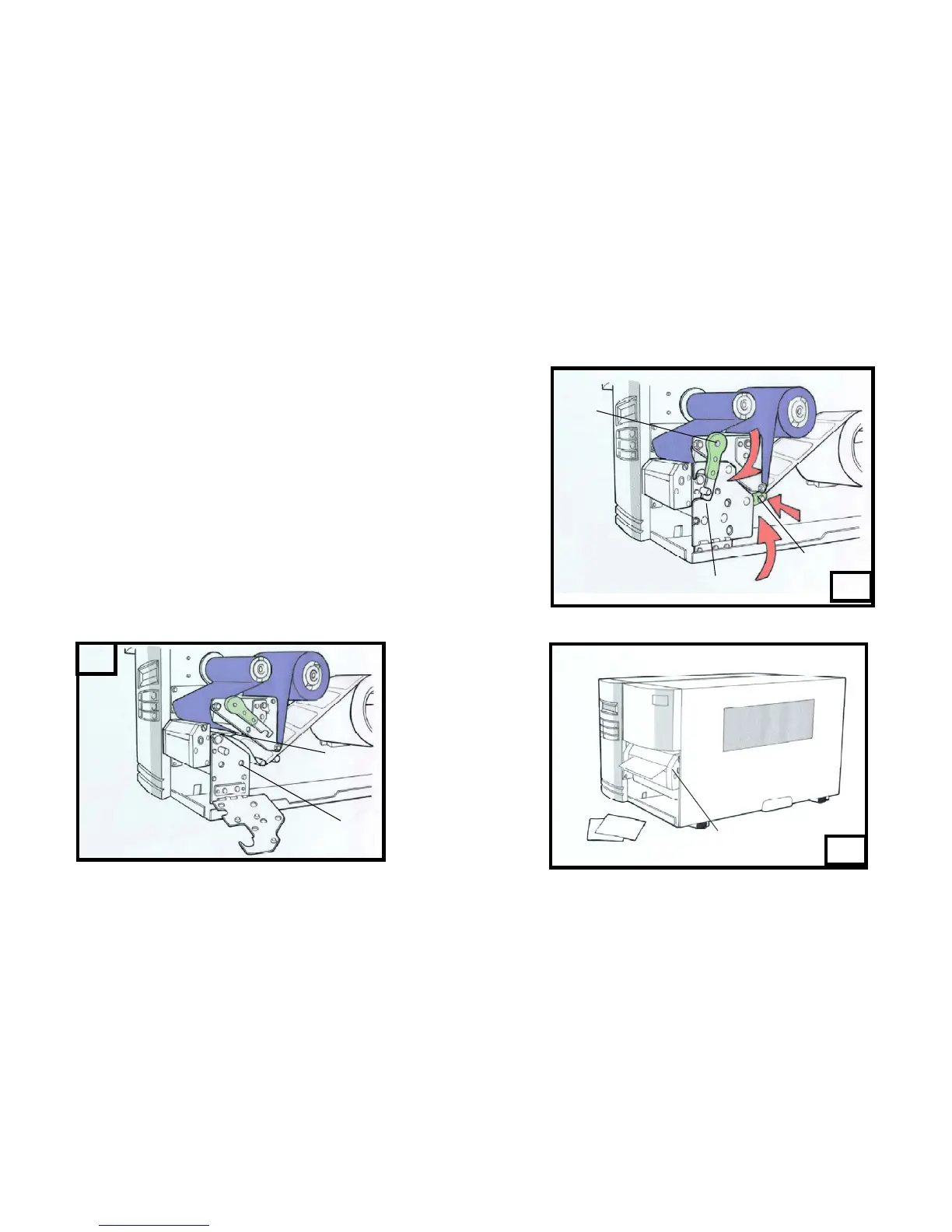
4. Insert the media into the print head module and under the paper
sensor guide. ( Figure 17 )
5. Put back the outside media guide, close the bracket, and buckle the
head latch. ( Figure 18 )
6. Close the top access door and turn on the printer or press the FEED
button if the printer is already on, and then the label will be fed into the
cutter mode automatically. ( Figure 19 )
Note:
The “ FEED “ button will not drive the printer to cut. The cutting work can
be executed only when (1) the software setting is ready; (2) Bit 3 of DIP
switch at rear panel must be set to the ON position for X-2000 Zip.
17
Paper Sensor Guide
Print Head Module
18
Outside Media
Guide
19
Bracket
Cutter
19



 To Next Page