12
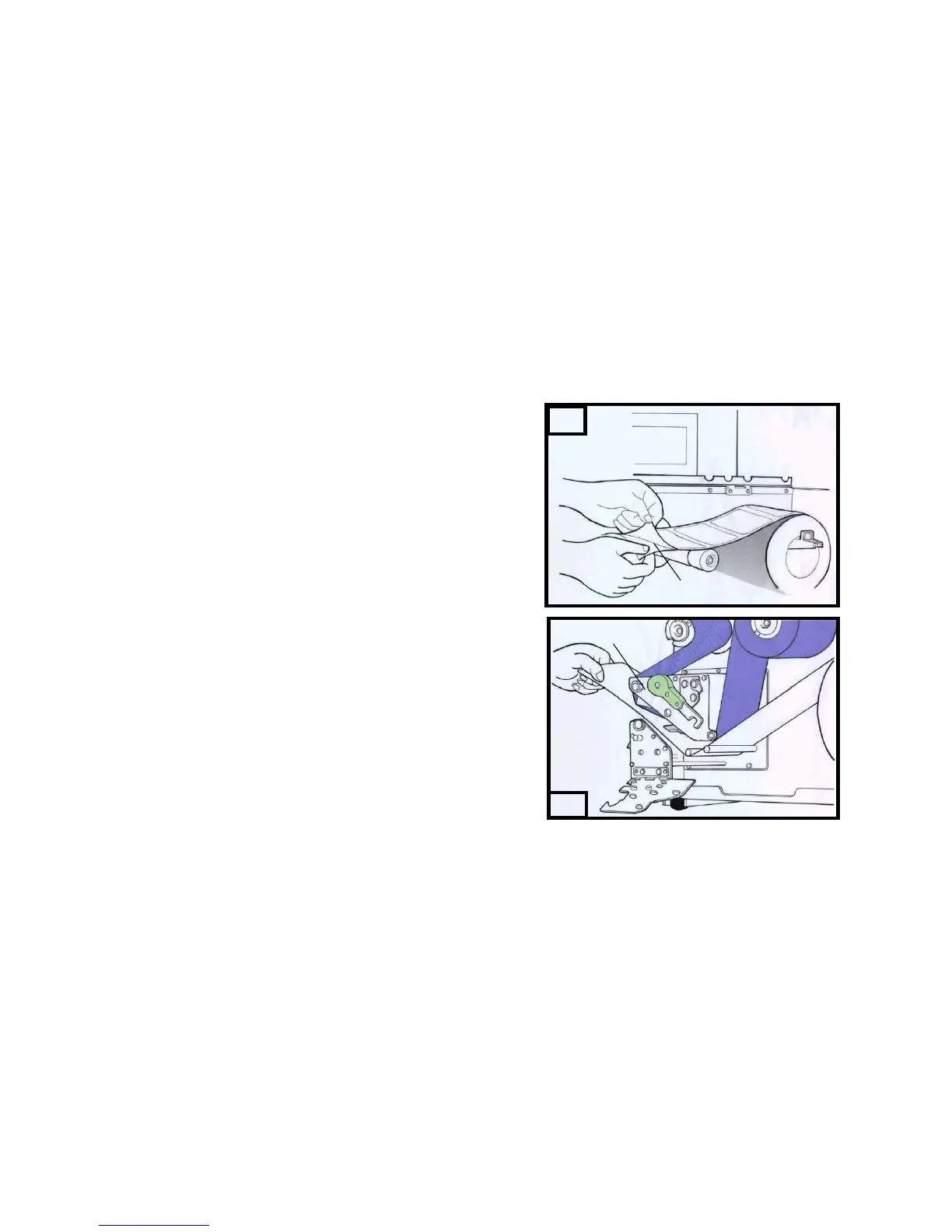
4. Remove approximately 6” long labels from the label
backing paper. ( Figure 11 )
5. Lead the backing paper through the print head module. ( Figure 12 )
6. Turn back under the print head module. ( Figure 13 )
7. Clip the media between the iron stick and the rewinder kit. ( Figure 14 )
8. Turn the rewinder kit twice to ensure the media is firmly fixed. ( Figure
15 )
9. Close the side access door and turn on the printer or press the FEED
button if the printer is already on. ( Figure 16 )
Notes:
1. The “ FEED “ button will not drive the printer to peel. The peeling work
can be executed only when (1 ) the software setting is ready; (2) Bit 5
of DIP switch at real panel must be set to ON position for X-2000 Zip.
2. Please sure the peeler sensor is out of ribbon path when it’s installed.
16
15



 To Next Page