Appendix C:
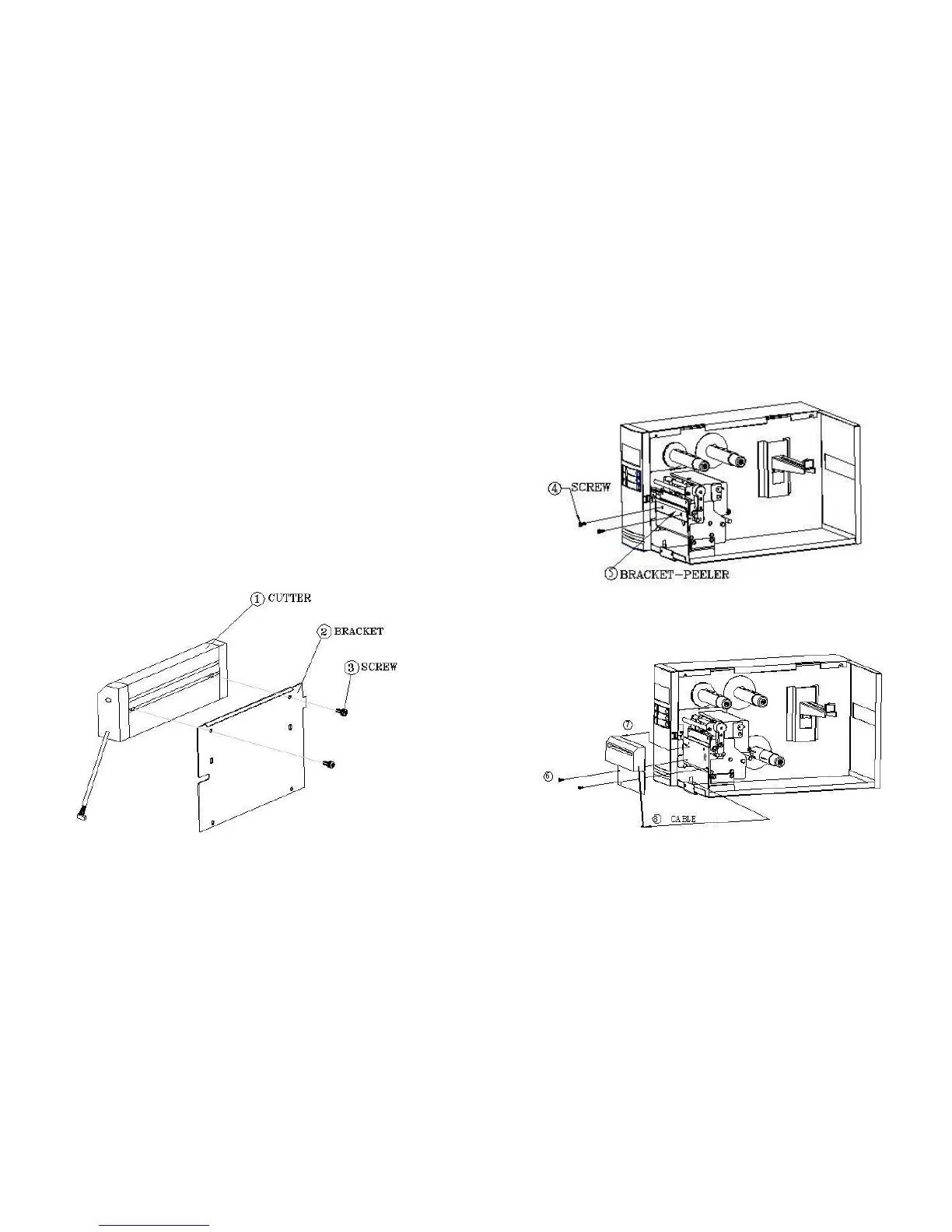
INSTALLATION FOR CUTTER
1. Turn off the printer
2. Remove the top covers on both left and right sides.
3. Mount the cutter baby board to U22 on main board; Take care of the
location and direction, the IC hole ix at lower Position.
4. Set bit 3 of DIP switch (1~8) to ON position.
5. Secure two screws for cutter (1) and bracket (2).
Note:
Germany made cutter IC is 3770 ; Taiwan made cutter IC is 3717.
6. Loosen two screws (4) from bracket (5).
68
,
7. Insert the left side of cutter bracket (7) and secure two screws (6) to
the TPH module.
67



 To Next Page