!
Motors On/Off
!
These toggle switches allows to switch
On/Off the motors for each axis individually.
!
!
!
Motor Mode!
In the Motor Mode column the motors can be adjusted from !
speed to angle measurement.!
NOTE
If you use a Joystick or the ARRI DRW-1 wheels the Motor !
Mode should be set on Speed. !
If you use PLC Wheels or rotary Knob, you need to switch !
head mode to Angle.
!
PID Main Menu
!
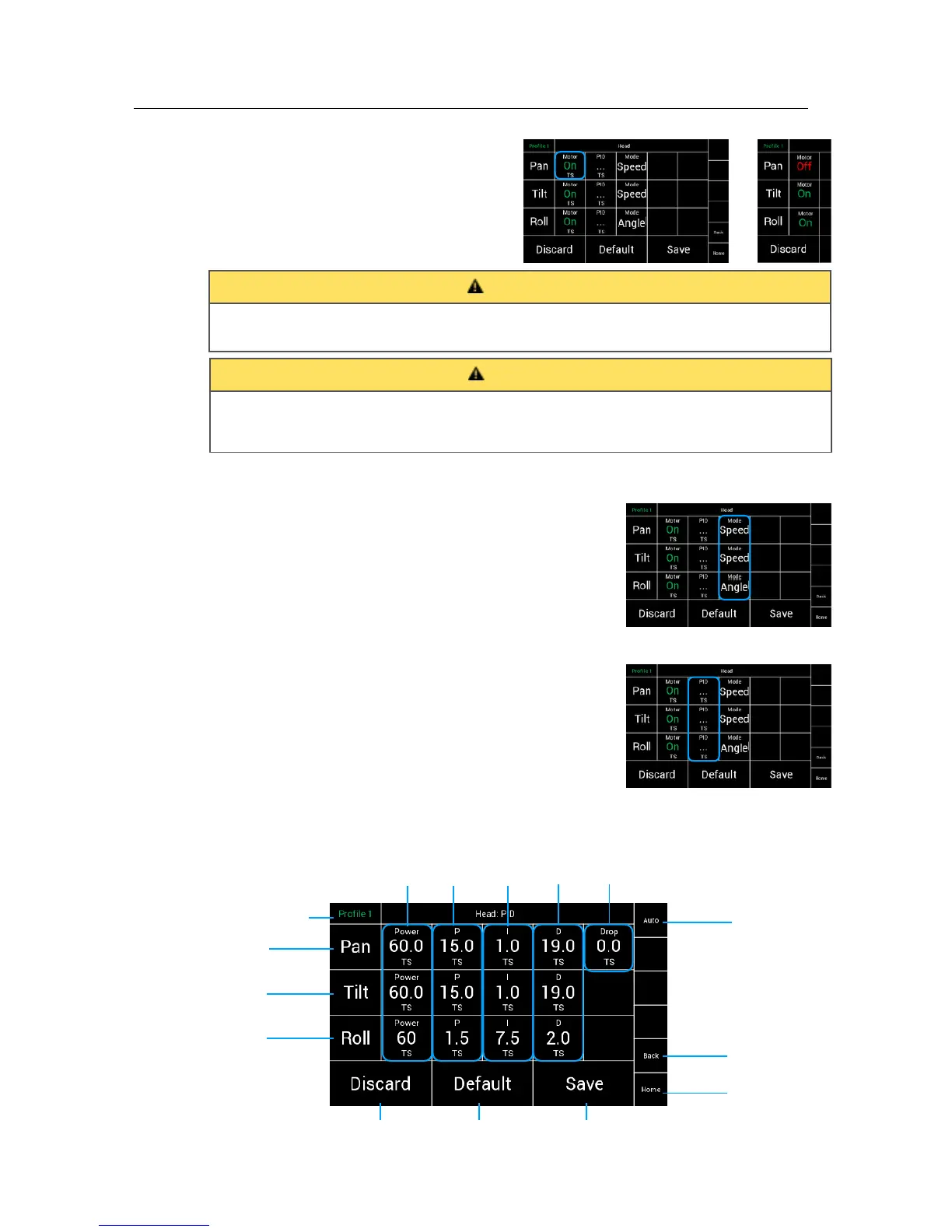
Selecting PID in the Head Menu will open a new
touchscreen display menu.
The PID window will allow the individual control of PID
settings and motor power for each axis and save them
as settings to the selected profile.
!
!
!
!
!
!
!
!
!
!
!
!
!
!
!
!
!
!
!
!
!
!
!
Switching off individual motor axis means that the camera is no longer held in position !
and may suddenly move. Make sure someone is taking care of the camera.
Touching Save can turn off all motors for a short moment. Thus, the camera might not be held
in its position for a short moment even for axes whose motor mode is on. !
Make sure someone is taking care of the camera before Save is being pressed.



 To Next Page