!
!
11 Endstops!
!
!
!
!
!
!
!
!
!
!
!
!
!
!
!
!
!
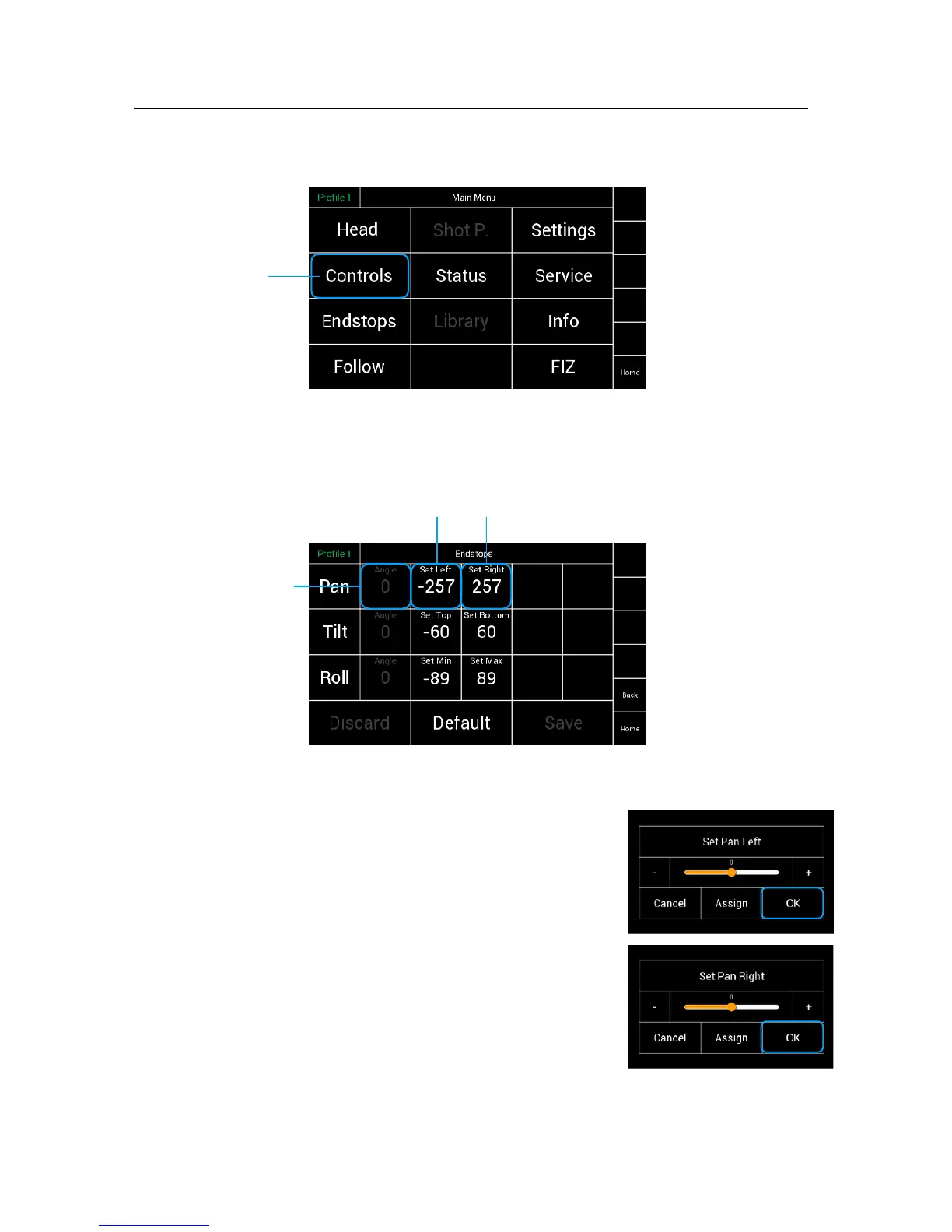
Selecting Endstops will open a new touchscreen display menu.
The Endstops menu will allow the operator to assign end positions for each
axis and enable or disable them individually. !
!
Angle Display
The Angle Column displays the current position of the head
measured as an angle.
The Set Left/Top/Min selection will open a new
touchscreen display with a slider to allow the operator !
to set the left endstop position, measured as an angle,
individually for each axis.
The Set Right/Bottom/Max selection will open a new !
touchscreen display with a slider to allow the operator to !
set the right Endstop position, measured as an angle, !
individually for each axis.
For example:
Move the head to the desired position at the left. !
Angle will display the actual angle.
Touching Set Left, will open the submenu.
The position will be confirmed as the Left Endstop when OK had been touched.



 To Next Page