!
12 Follow Mode / Pan Lock
!
Follow mode allows the horizontal pan movement of the head to be
synchronized with the horizontal pan movement of the crane.
This function is also called Pan Lock.
In addition to the Pan Lock, the SRH-3 allows ramps to be defined for the Pan Lock.
This allows additional creative possibilities
NOTE !
In the default factory setup the Follow mode is deactivated.!
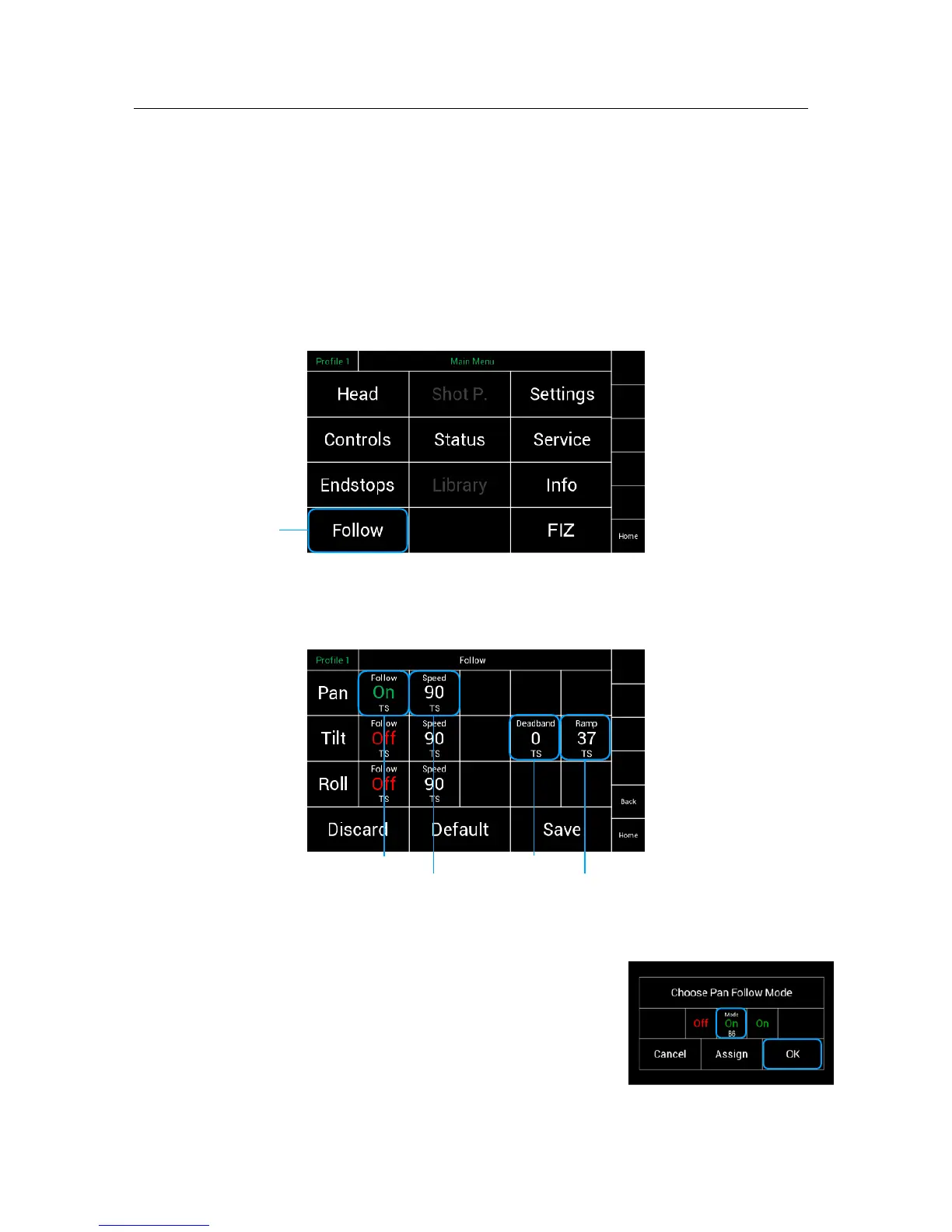
Selecting Follow will open a new touchscreen display menu. !
The Follow menu will control the Speed, Deadband and Ramp !
of the Follow mode individually for each axis.!
!
!
!
!
!
!
!
!
!
!
!
!
!
!
!
!
!
!
12. 1 !
Follow On/Off
The Follow On/Off selection will allow the operator to
enable or disable the follow mode individually for each axis.!
!



 To Next Page