!
!
17 Settings!
!
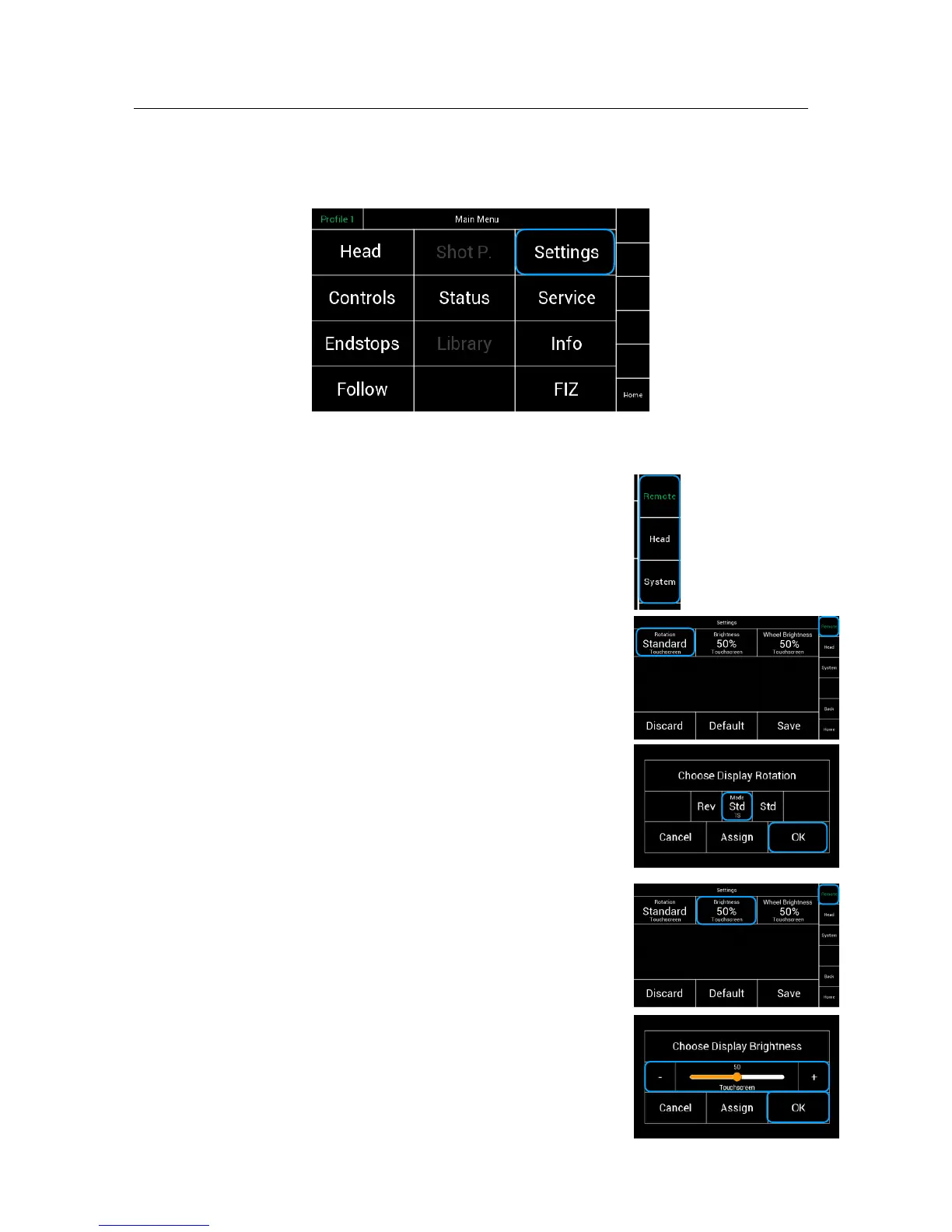
Selecting Settings will open a new touchscreen display menu. !
!
!
!
!
!
!
!
!
!
!
!
!
!
!
By touching Remote, Head and System a new screen !
for the Remote, Head and System will open up.!
!
17.1
Settings Remote
!
17.2
Display Rotation!
Selecting Rotation will open a new window.!
!
!
!
The Settings menu allows invert the controller display.
17.3
Brightness Display
Selecting Brightness will open a new window.!
!
!
!
!
The Settings menu will display the adjustable control !
panel brightness.



 To Next Page