!
!
18.0 Wireless
!
NOTE!
The SRH-3 is using the white-radio module EMIP400.!
Make sure that you select the proper area you are operating !
the device in. !
!
NOTE!
The SRH-3 will be delivered into your region with the required !
region settings.!
!
NOTE!
The SRH-3 offers 14 channels and will be delivered with an
enabled radio connection on channel 13.
!
!
!
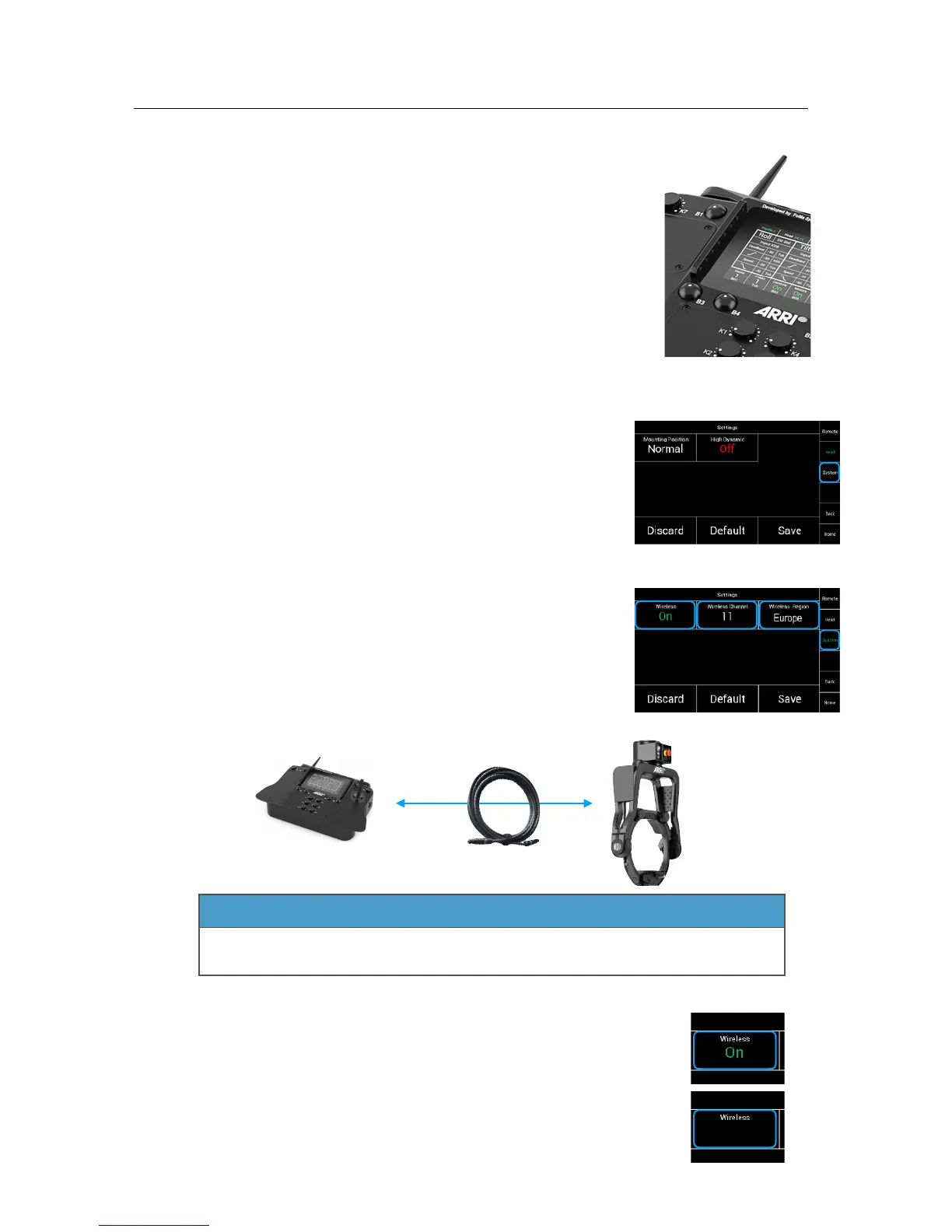
Selecting System will open a new touchscreen display menu.!
Here you can access the Wireless menu.!
!
!
!
!
!
!
!
!
In this case the screen indicates, that the wireless is On,!
the system is on Channel 11 and that the region is Europe.!
!
!
!
!
!
!
!
!
!
!
!
!
!
!
!
!
!
!
!
18.1
Wireless On / Off
To enable or to disable the radio module, touch Wireless !
and toggle between On and Off. !
!
!
!
To change any radio module related settings, the remote control !
panel and the remote head must be connected via the FS Can Bus cable.



 To Next Page