!
!
18.2 !
Changing the Channels
!
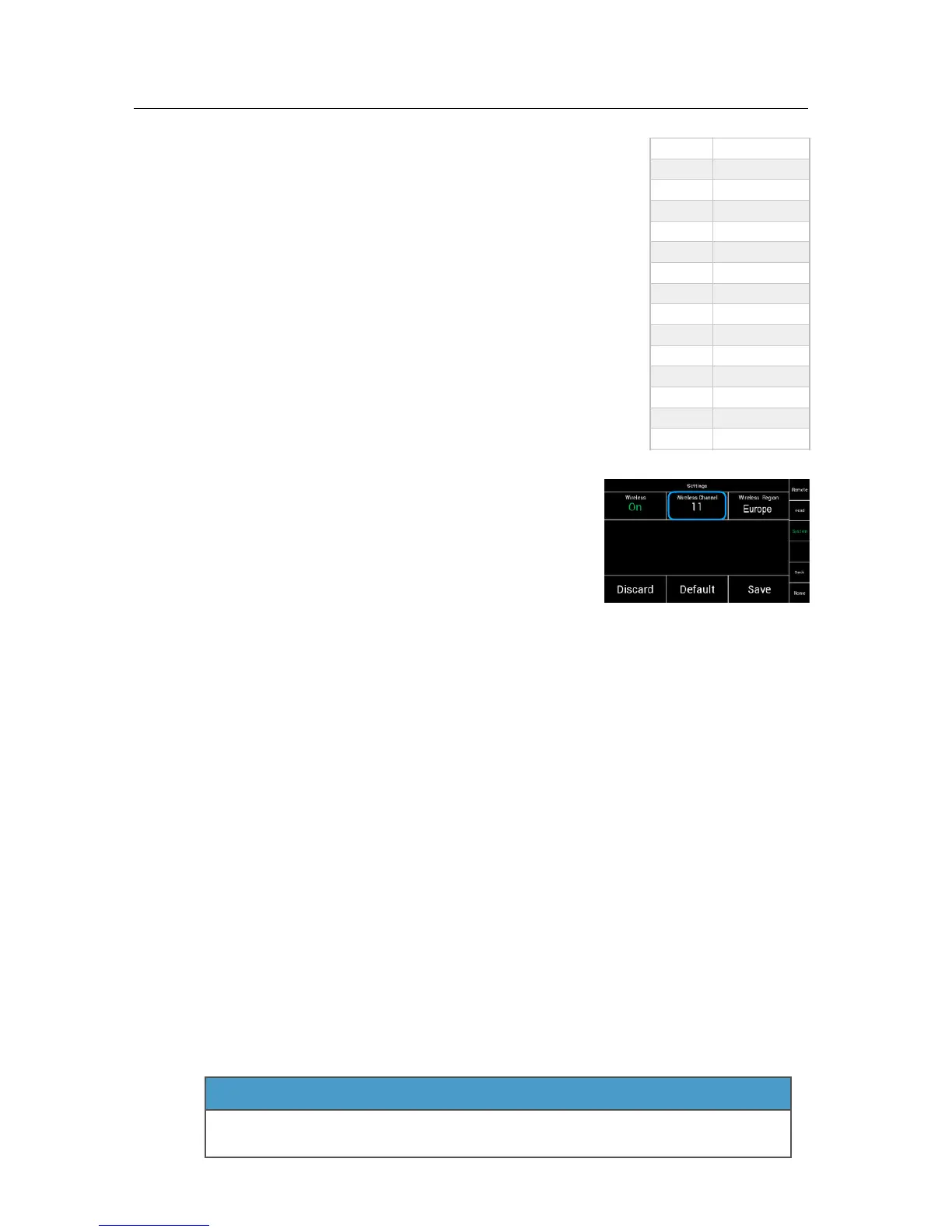
The radio module offers 14 channels and will be !
delivered with enabled radio connection on channel 13.
!
!
The blue channels are the existing channels of the !
EMIP 300 radio module, used in the WCU-4.
The green channels are new additional channels of the !
EMIP 400.!
!
NOTE!
The extra new channels are placed in between the existing !
EMIP300 channels. To avoid interferences between the !
SRH-3 and WCU-4, ensure that the used frequencies are !
not too close to each other. !
!
To change the channel, touch the Wireless Channel, !
until you reached the required channel.!
!
For example:!
To change to channel four, you need to touch !
Wireless Channel four times.!
!
18.3!
Regions Settings!
!
NOTE !
This device complies with part 15 of the FCC Rules.!
!
§15.19(a)!
Operation is subject to the following two conditions:!
(1) This device may not cause harmful interference, and!
(2) this device must accept any interference received, including !
interference that may cause undesired operation.!
!
Part 15 Clause 15.21!
Changes or modifications not expressly approved by the party responsible for compliance !
could void the user's authority to operate the equipment.!
!
Canada:!
Contains IC: 9482A-EMIP400 !
This device complies with Industry Canada’s licence-exempt RSSs. !
Operation is subject to the following two conditions:!
(1) This device may not cause interference; and!
(2) This device must accept any interference, including interference that may cause !
undesired operation of the device.!
Le présent appareil est conforme aux CNR d’Industrie Canada applicables aux appareils !
radio exempts de licence. L’exploitation est autorisée aux deux conditions suivantes :
1) l’appareil ne doit pas produire de brouillage;!
2) l’appareil doit accepter tout brouillage radioélectrique subi, même si le brouillage est !
susceptible d’en compromettre le fonctionnement!
!
!
!
!
!
"


 To Next Page