!
!
21.2
FIZ Controls
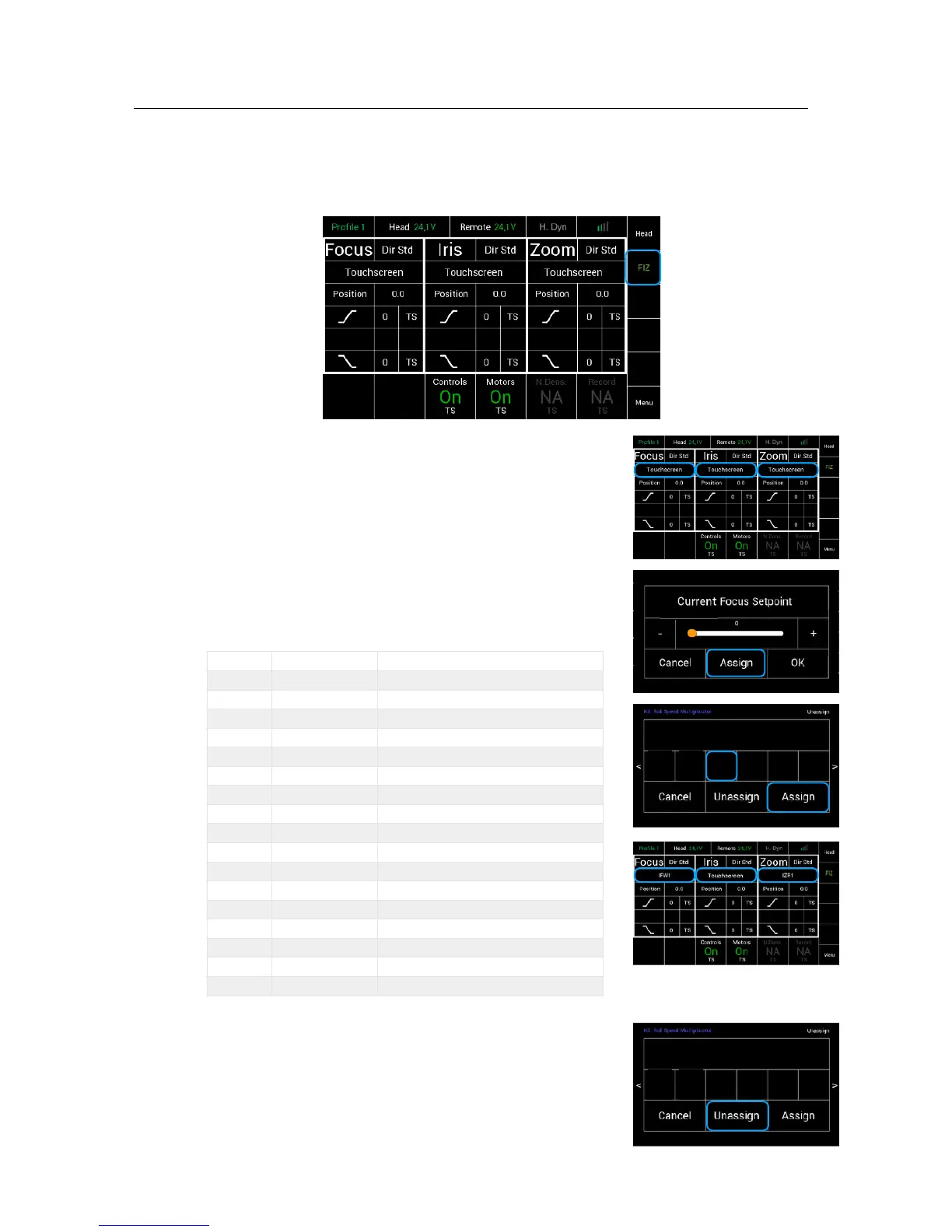
The FIZ home screen can be reached by touching FIZ in the Home Screen.
!
!
21.3
Assigning Controllers !
The FIZ home screen allows to assign the wanted
controllers by touching the marked areas.
Selecting the marked area will open a new touchscreen !
display menu, where the desired controllers can be selected !
and assigned.
!
The following controllers are available:
21.4
Unassigning Controllers
To unassign a selected controller, touch Unassign.
NOTE
After a function was unassigned, the function
will be only available through the touchscreen.!



 To Next Page