Diagnostics
IPC1100 Advanced IP Client Video Set-top • Installation and Operations Manual
365-095-24769 x.1 10/13
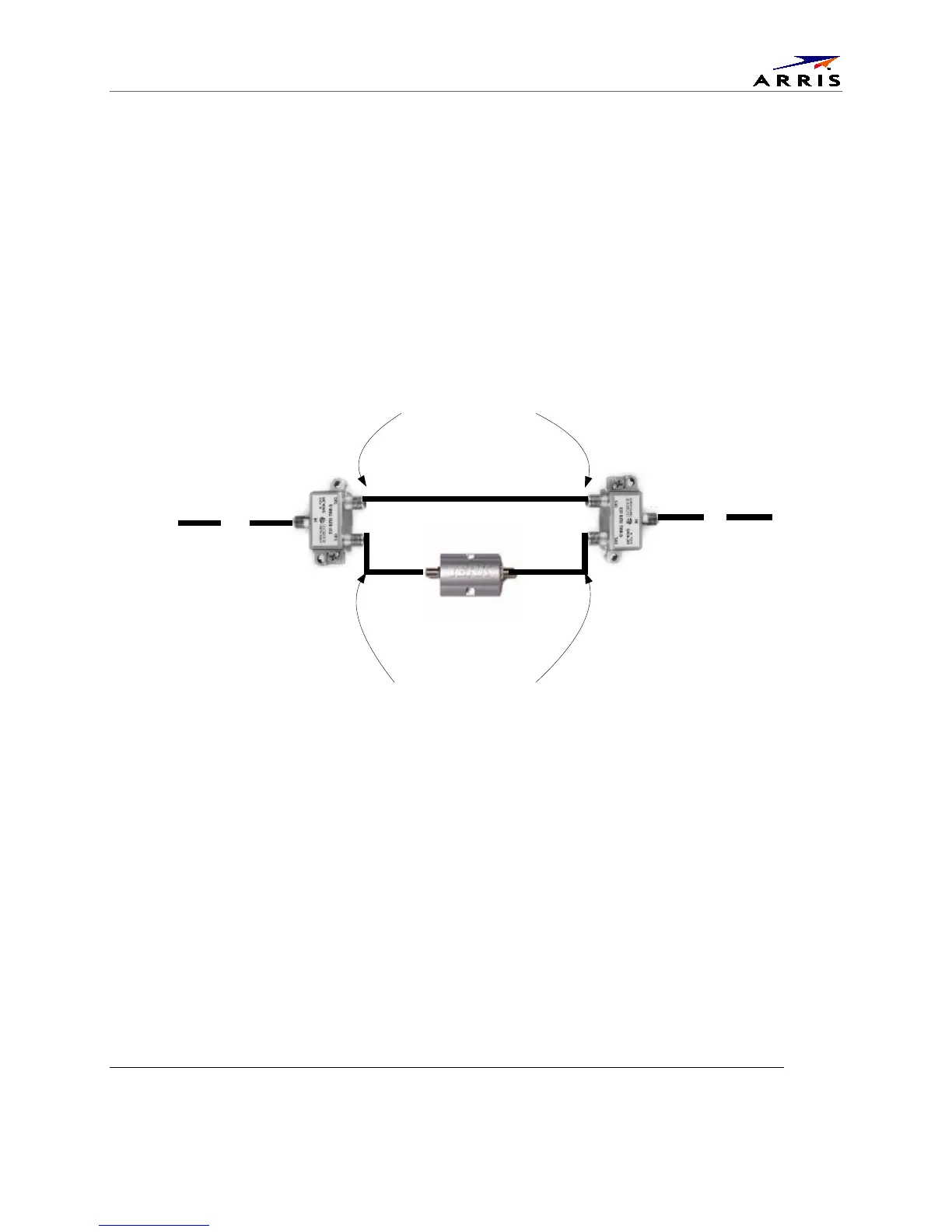
Bypassing an Amplifier
To bypass the MoCA signal around an in-line amplifier that cannot handle two-way traffic nor has
insufficient bandwidth for MoCA:
1. Locate the line amplifier by tracing the coaxial cable back towards the ONT.
2. Disconnect the existing RF cable from the amplifier.
3. Move the existing amplifier to a position near the point of entry.
As shown in the figure below, connect each existing coaxial cable to the diplexer. Connect a new coaxial
cable between the high pass ports on the diplexers. Connect the existing amplifier between the low
pass ports on the diplexers.
Figure 28 – Using a diplexer to bypass a line amplifier
Existing Line Amp
to
Root
Node
to
NIM
Install Line Amp between
the Low-Pass ports on the
Diplexers
Install straight Coax
between the High-Pass
ports on the Diplexers



 To Next Page