Chapter 2
Product overview
Front panel
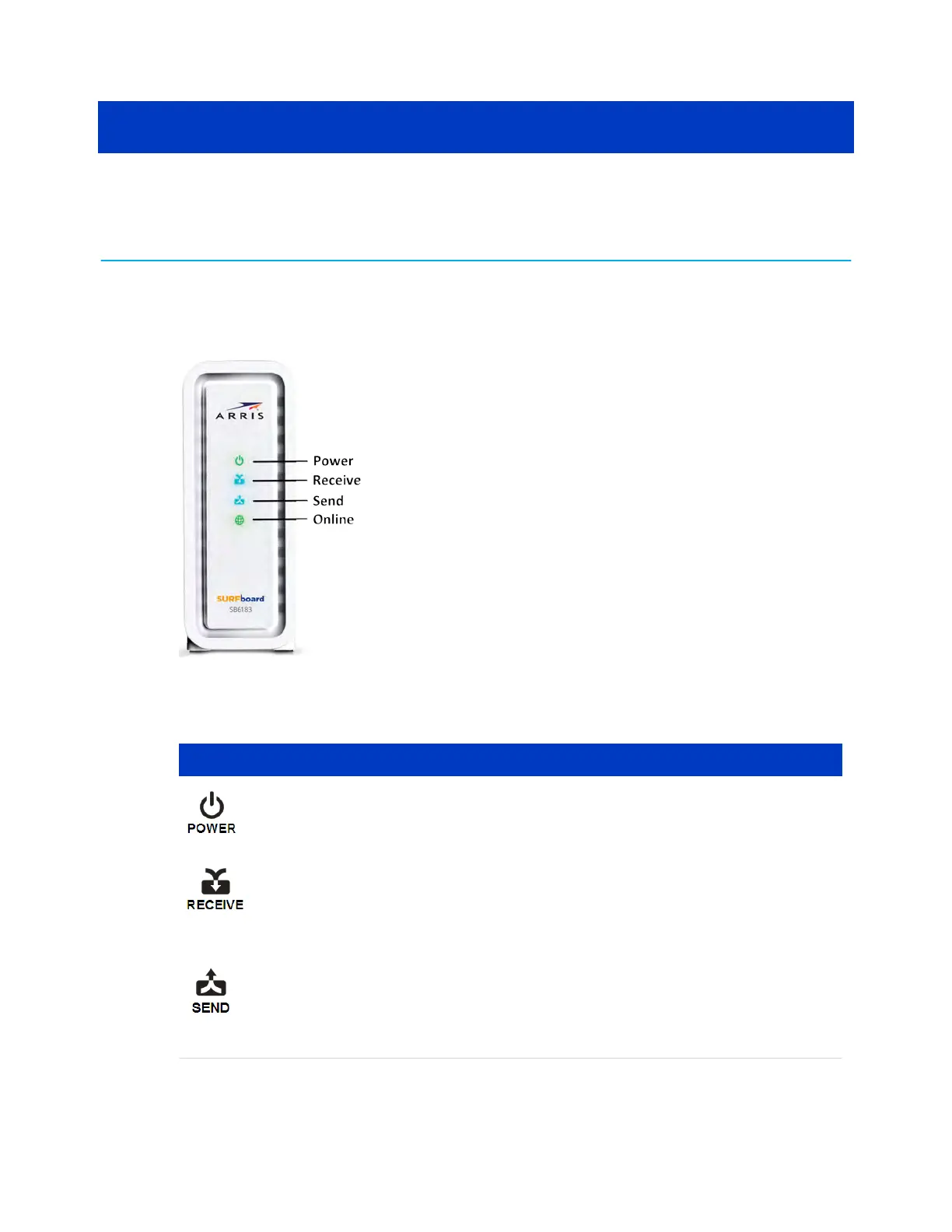
SB6183 front view
SB6183 front panel LED icons
LED Icon Blinking On (Solid)
Not applicable – icon does not
blink.
Green: Power is properly connected.
Scanning for a downstream
(receive) channel connecon.
Green: Non-bonded downstream channel is
connected.
Blue *: High-speed Internet connecon
with bonded downstream channels.
Scanning for an upstream (send)
channel connecon.
Green: Non-bonded upstream channel is
connected.
Blue *: High-speed Internet connecon
with bonded upstream channels.
SURFboard
®
SB6183 DOCSIS
®
3.0 Cable Modem User Guide STANDARD Revision x.4 10











 To Next Page