Chapter 4
Using the cable modem web manager
The SB6183 Web Manager is available to view and monitor the cable modem operaonal
status and network conguraon sengs. You can also use the web manager to reset or
reboot the SB6183.
Start the SB6183 web manager
1. Open any Web browser on the computer connected to the SB6183.
2. Type the default LAN IP address, hp://192.168.100.1, In the Address eld and then
press Enter.
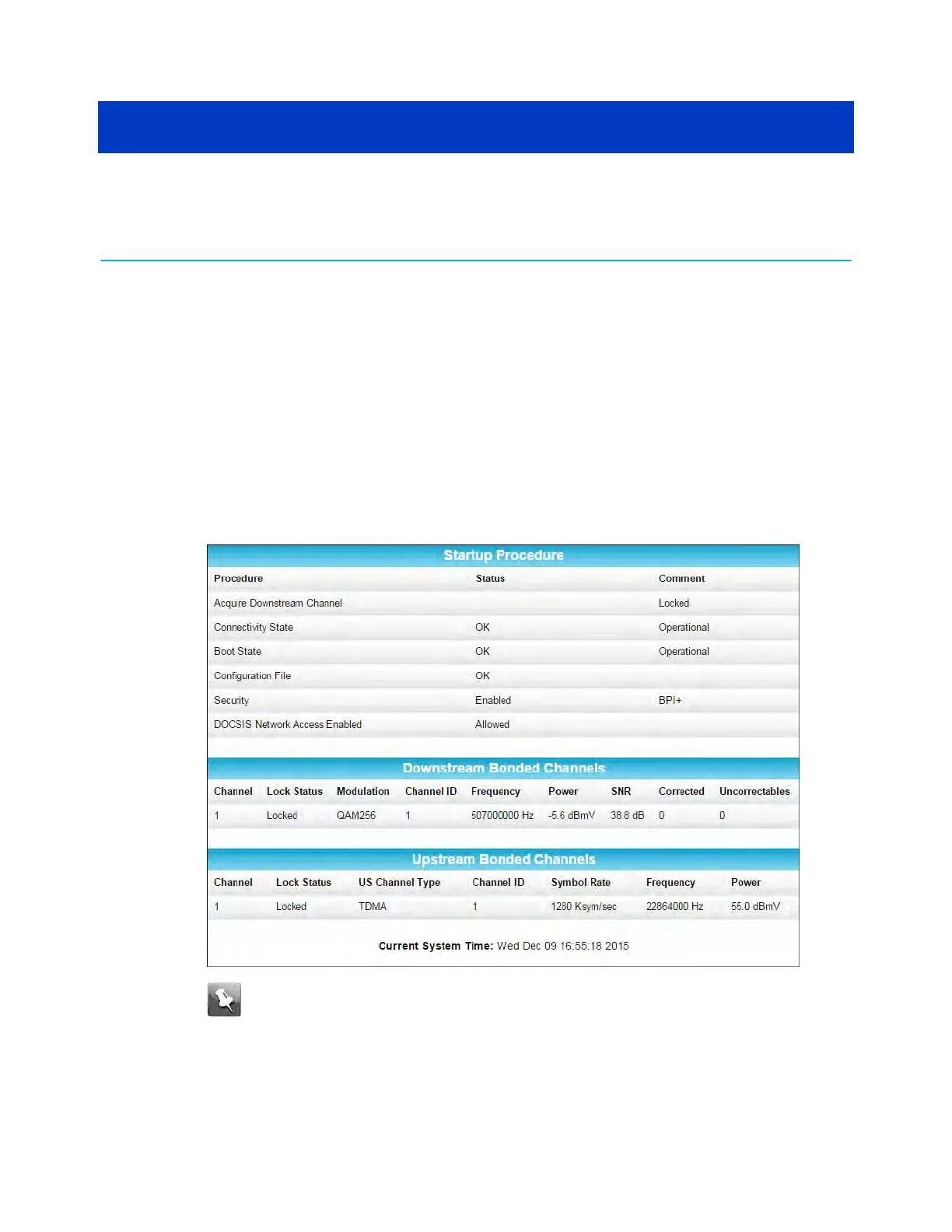
The SB6183 Status screen displays.
Note: If y
ou cannot access the HTML pages in the SB6183 Web Manager, please
contact ARRIS Technical Support for assistance.
SB6183 opening screen
SURFboard
®
SB6183 DOCSIS
®
3.0 Cable Modem User Guide S
TANDARD Revision x.4 16











 To Next Page