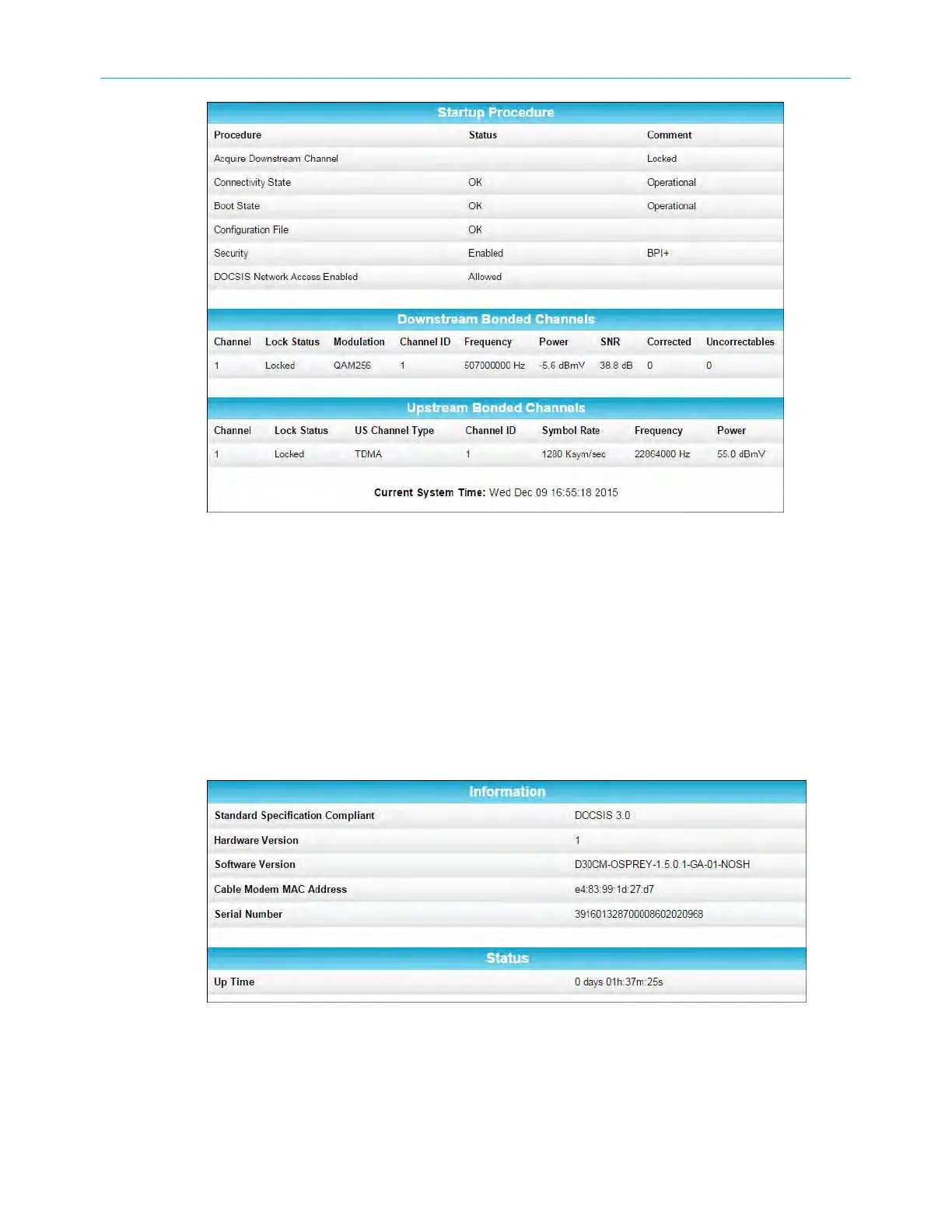
SB6183 status screen
Vie
w the SB6183 product informaon
The SB6183 Product Informaon screen displays the hardware and rmware versions, MAC
address, serial number and operaon status for the SB6183.
To open the Addresses screen:
1. Open the SB6183 Web Manager see Start the SB6183 web manager (page 16) .
2. Click the Product Informaon menu buon or link on the SB6183 Web Manager screen.
SB6183 product informaon screen
3. Press F5 to refresh or update the informaon on the screen.
Chapter 5: Monitoring your cable modem and connected network
SURFboard
®
SB6183 DOCSIS
®
3.0 Cable Modem User Guide STANDARD Revision x.4 19











 To Next Page