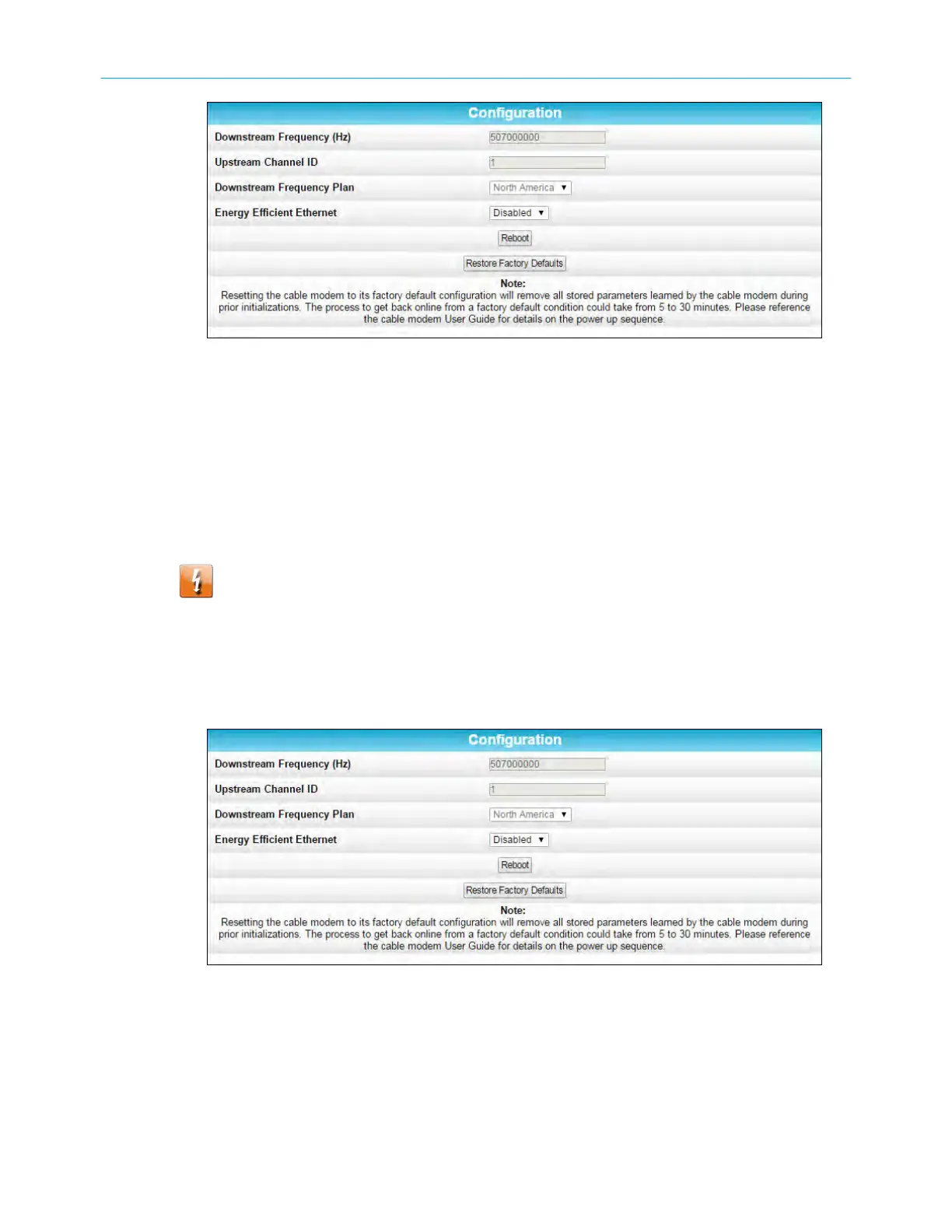
SB6183 c
onguraon screen
Reset the SB6183 conguraon sengs
You can restore the SB6183 to the factory default sengs using the Conguraon screen.
This process will delete the current sengs and take approximately 5 to 30 minutes to
complete. Your network connecon will remain disabled unl aer the SB6183 conguraon
is restored.
Warning: This acon dele
tes the current SB6183 conguraon and replaces it with
the factory default sengs.
To open the Conguraon screen:
1. Open the SB6183 Web Manager see Start the SB6183 web manager (page 16) .
2. Click the Conguraon menu tab or link on the SB6183 Web Manager Menu.
The Conguraon screen displays.
SB6183 c
onguraon screen
3. Click Restore Factory Defaults.
The following message dialog will display.
Chapter 5: Monitoring your cable modem and connected network
SURFboard
®
SB6183 DOCSIS
®
3.0 Cable Modem User Guide STANDARD Revision x.4 21











 To Next Page