SB6183 web manager screen opons
Get help
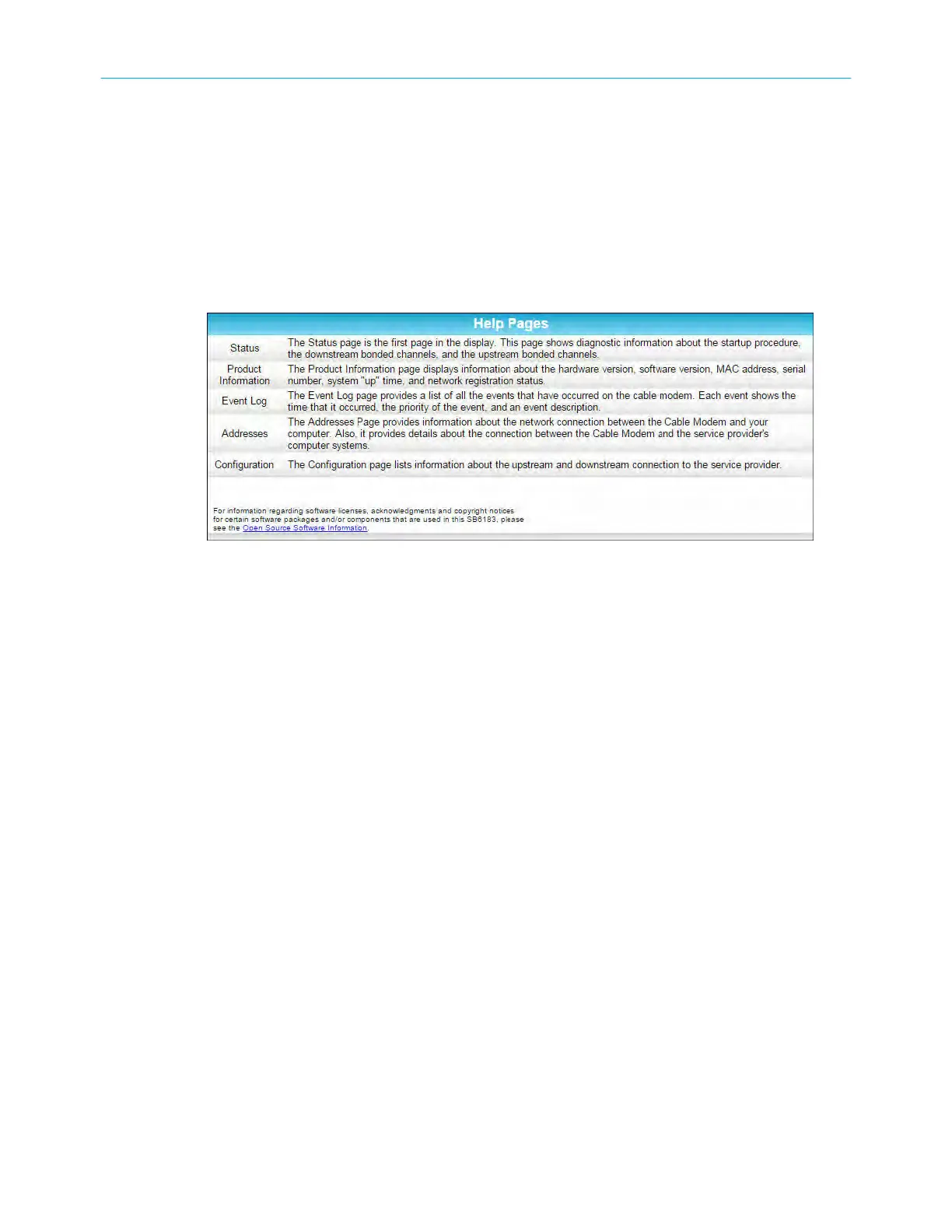
The Help Pages screen provides a brief descripon for each web manager screen.
■ Click the Help menu buon or link on the SB6183 Web Manager screen to open the
SB6183 Help Pages screen.
SB6183 help overview screen
Exit the SB6183 w
eb manager
To exit the SB6183 Web Manager:
■ Click the Close buon in the upper right corner of the web browser window.
Chapter 4: Using the cable modem web manager
SURFboard
®
SB6183 DOCSIS
®
3.0 Cable Modem User Guide STANDARD Revision x.4 17











 To Next Page