View the SB6183 event log
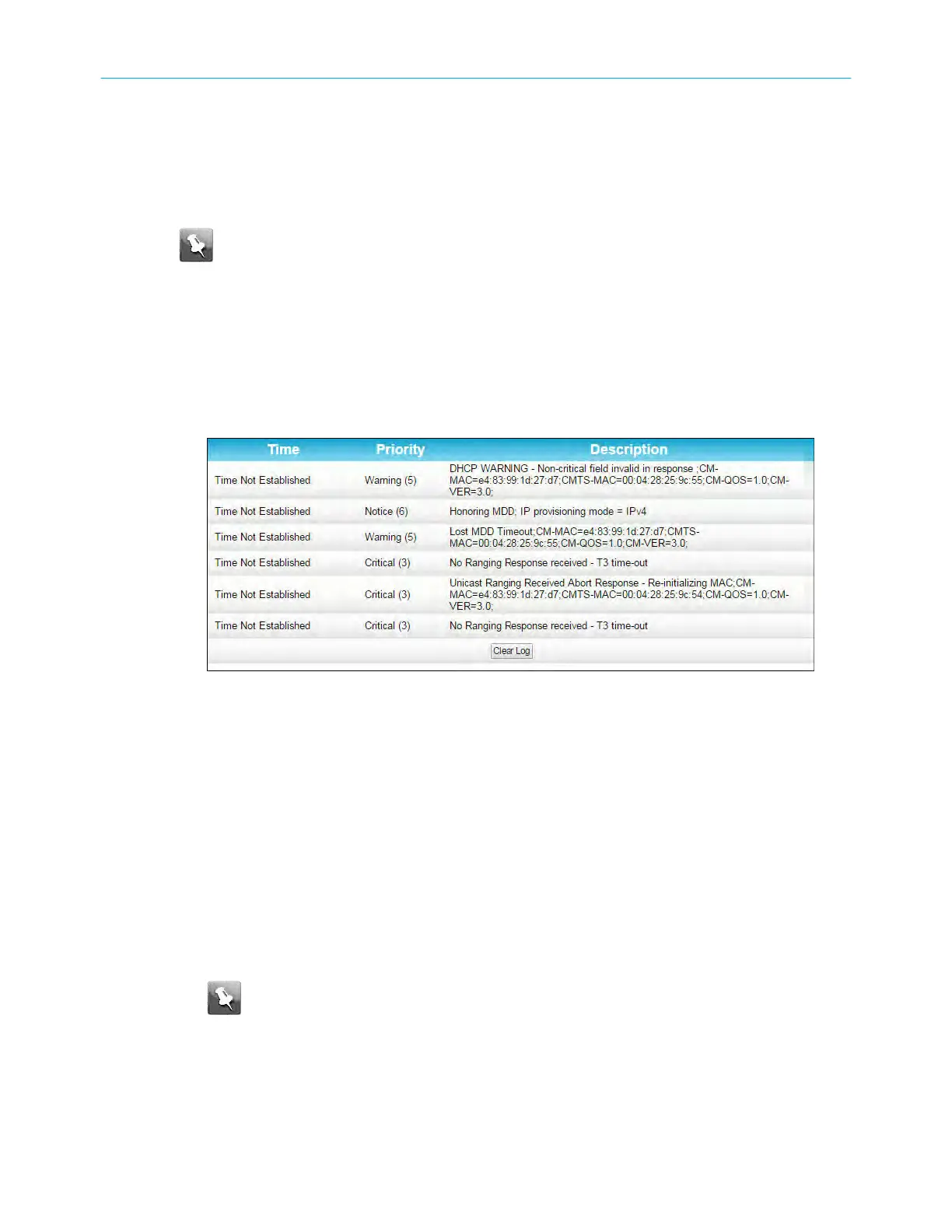
The SB6183 generates a running log of the me and events or acvies that it detects during
the cable modem operaon.
Note: This informaon may be useful to help diagnose and correct any problems that
may occur with your cable modem. You may want to provide this informaon if you
have to contact ARRIS Technical Support or your service provider for assistance.
To open the Logs screen:
1. Open the SB6183 Web Manager see Start the SB6183 web manager (page 16) .
2. Click the Event > Logs menu buon or link on the SB6183 Web Manager screen.
3. Press F5 to refresh or update the informaon on the screen.
4. Click Clear Log if you want to delete the log entries.
SB6183 event logs screen
Vie
w the SB6183 cable modem conguraon
The SB6183 Cable Modem Conguraon screen displays the downstream and upstream
connecon to the network. When the SB6183 successfully connects to the network, it stores
the connecon frequency to automacally connect whenever you have to log back in to the
SB6183.
To open the Conguraon screen:
1. Open the SB6183 Web Manager see Start the SB6183 web manager (page 16).
2. Click the Conguraon menu tab or link on the SB6183 Web Manager screen.
Note: The c
onguraon sengs on the SB6183 Conguraon screen are read-
only and cannot be modied. You will have to contact your service provider to
obtain special authorizaon to change the cable modem frequencies and other
conguraon sengs.
Chapter 5: Monitoring your cable modem and connected network
SURFboard
®
SB6183 DOCSIS
®
3.0 Cable Modem User Guide STANDARD Revision x.4 20











 To Next Page