PN 365-095-30001 x.1 Touchstone CM8200 Cable Modem User Guide
Copyright 2016, ARRIS Enterprises, LLC. All rights reserved. 15
Chapter 5
Using the Cable Modem Web Manager
The CM8200 Web Manager is available to view and monitor the CM8200 operational
status and network configuration settings.
Start the CM8200 Web Manager
1. Open any Web browser on the computer connected to the CM8200.
2. Type the default LAN IP address, 192.168.100.1, in the Address bar and then press Enter.
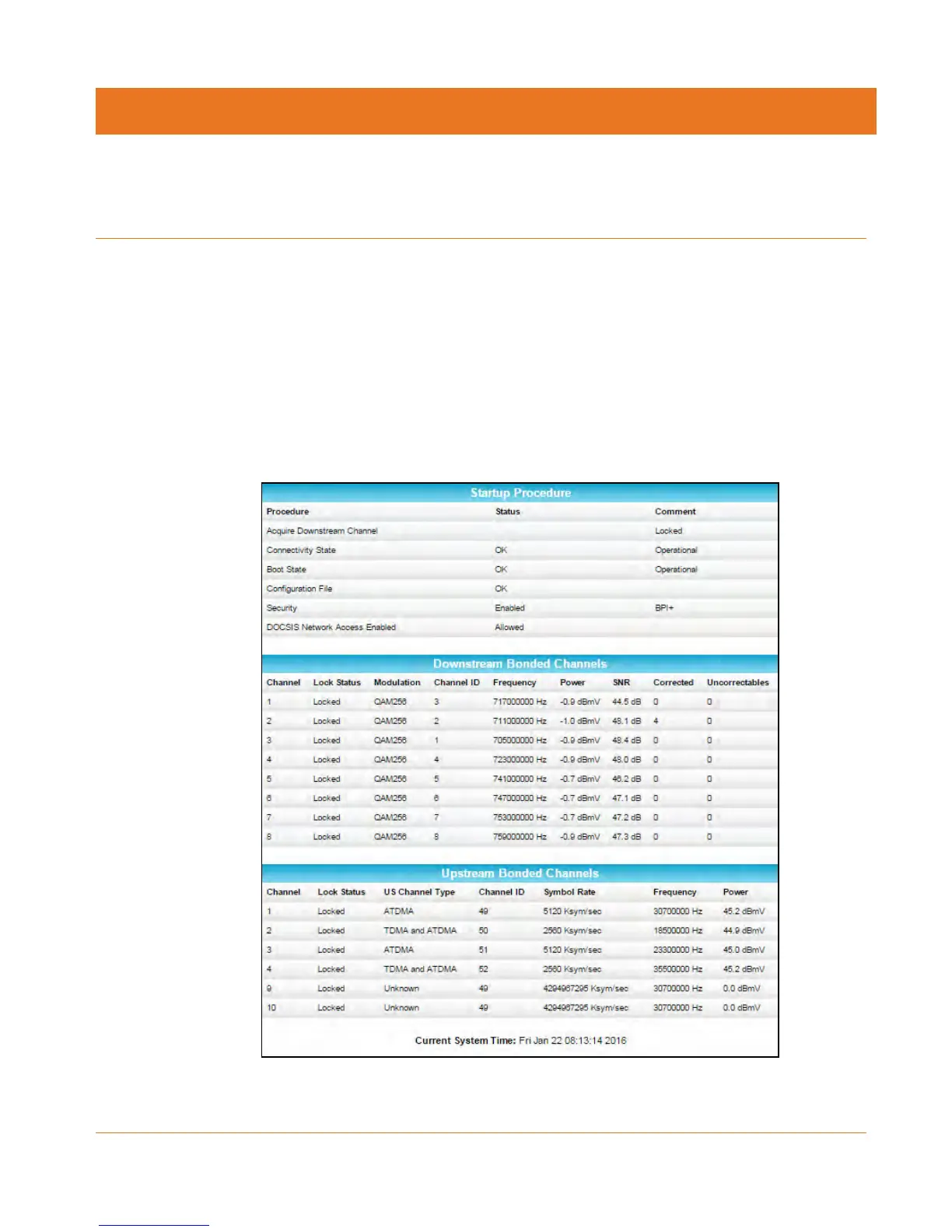
The CM8200 Status screen displays.
Figure 5: CM8200 Opening Screen













 To Next Page