Chapter 5: Using the Cable Modem Web Manager
PN 365-095-30001 x.1 Touchstone CM8200 Cable Modem User Guide
Copyright 2016, ARRIS Enterprises, LLC. All rights reserved. 17
Provides the serial number and MAC addresses for the cable modem
and computers connected on your home network.
Provides the network connection frequency and channel ID
information for the cable modem.
Also, allows you to reset the cable modem configuration to the
factory default configuration and also restart the cable modem.
Provides a brief description for each screen option and general
troubleshooting tips.
Get Help
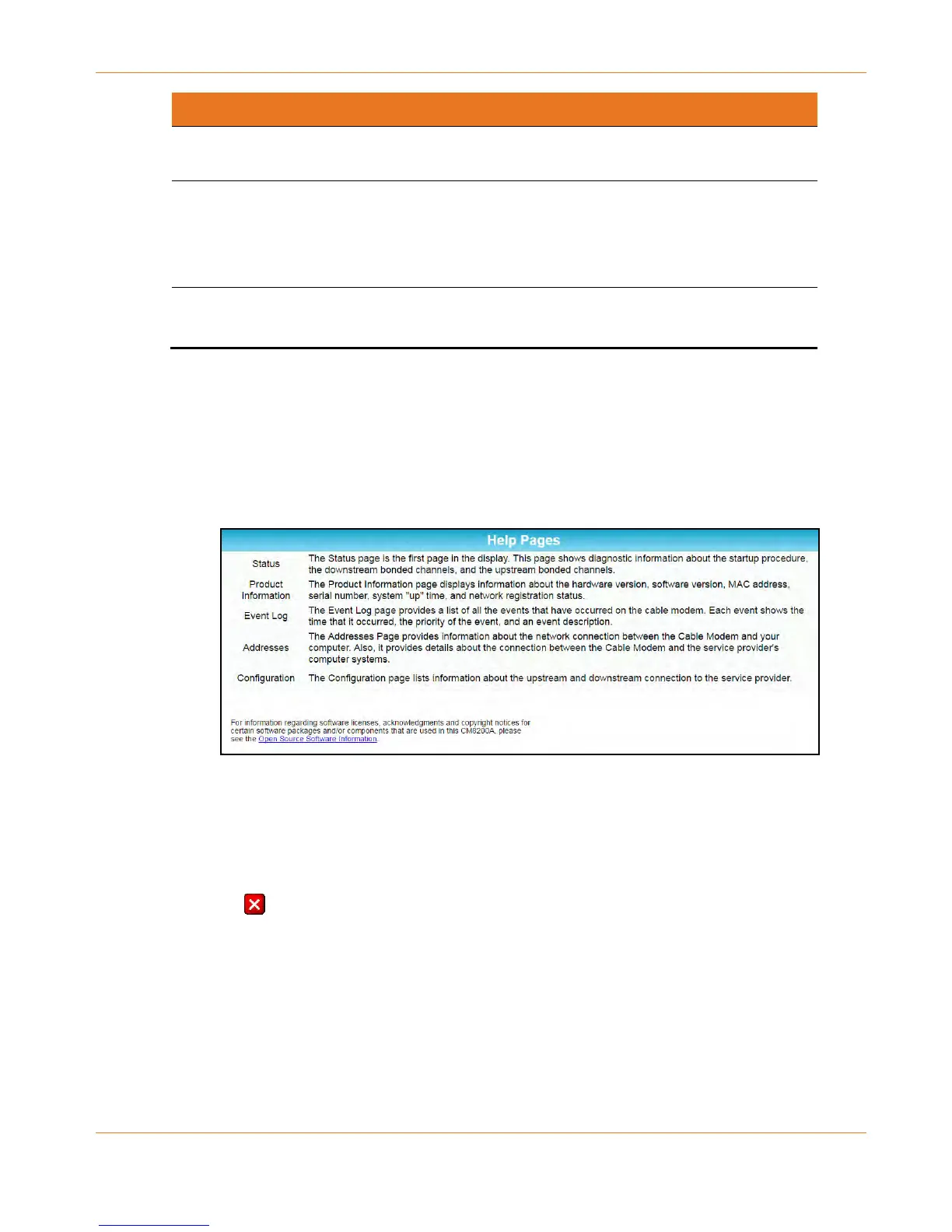
The Help Pages screen provides a brief description for each web manager screen.
Click the Help menu button or link on the CM8200 Web Manager screen to open the
CM8200 Help Pages screen.
Figure 8: CM8200 Help Pages Screen
Exit the CM8200 Web Manager
To exit the CM8200 Web Manager:
Click (Close button) in the upper right corner of the web browser window.













 To Next Page