Chapter 6: Monitoring Your Cable Modem and Connected Network
PN 365-095-30001 x.1 Touchstone CM8200 Cable Modem User Guide
Copyright 2016, ARRIS Enterprises, LLC. All rights reserved. 20
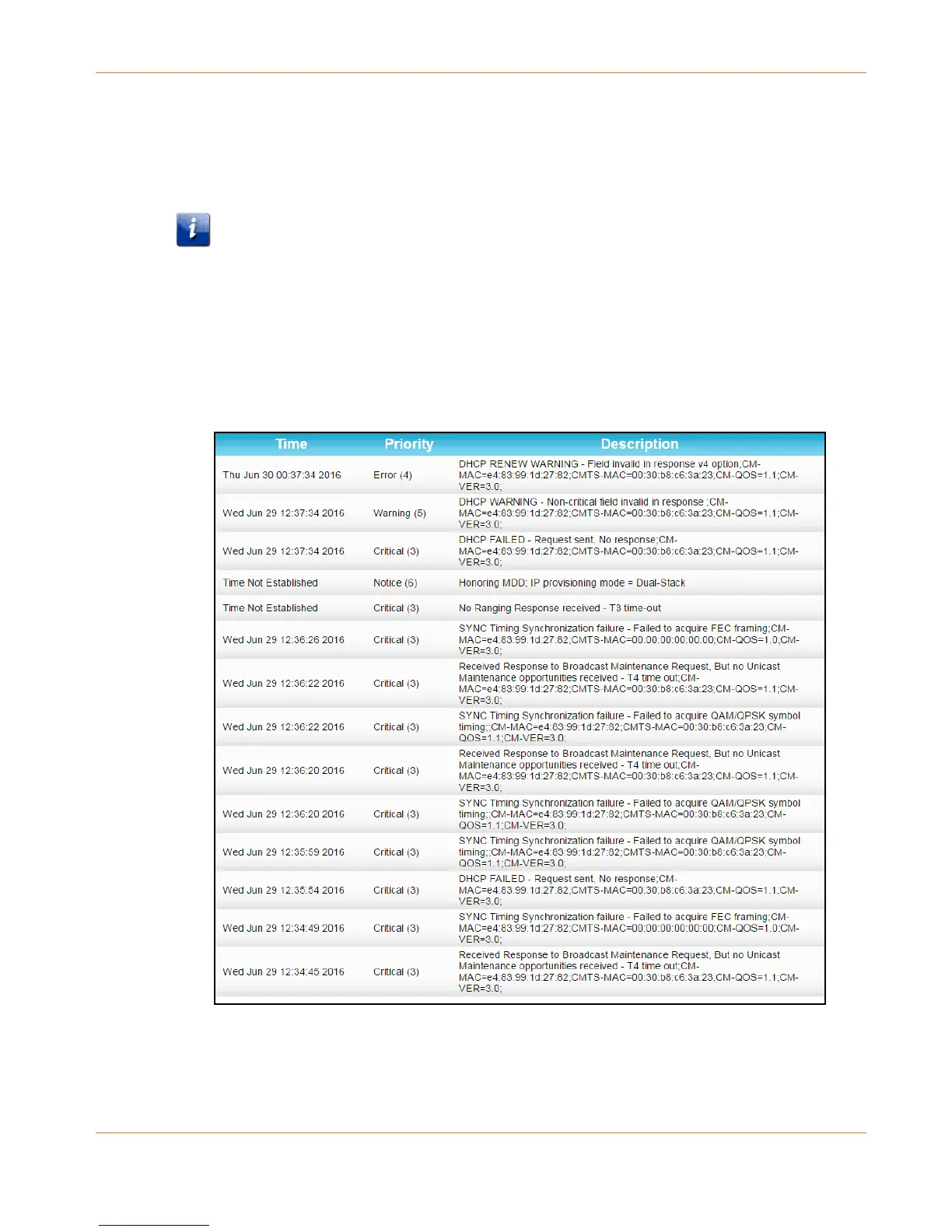
View the Cable Modem Event Log
The CM8200 generates a running log of the time and events or activities that it detects during
the cable modem operation.
Note: This information may be useful to help diagnose and correct any problems that
may occur with your cable modem. You may want to provide this information if you have
to contact your service provider or ARRIS Technical Support for assistance.
To open the Event Log screen:
1. Open the CM8200 Web Manager (see Start the CM8200 Web Manager).
2. Click the Event Log menu button or link on the CM8200 Web Manager screen.
3. Press F5 to refresh or update the information on the screen.
Figure 12: CM8200 Event Log Screen













 To Next Page