Chapter 6: Monitoring Your Cable Modem and Connected Network
PN 365-095-30001 x.1 Touchstone CM8200 Cable Modem User Guide
Copyright 2016, ARRIS Enterprises, LLC. All rights reserved. 19
To open the Status screen:
1. Open the CM8200 Web Manager (see Start the CM8200 Web Manager).
2. Click the Status menu button or link on the CM8200 Web Manager screen.
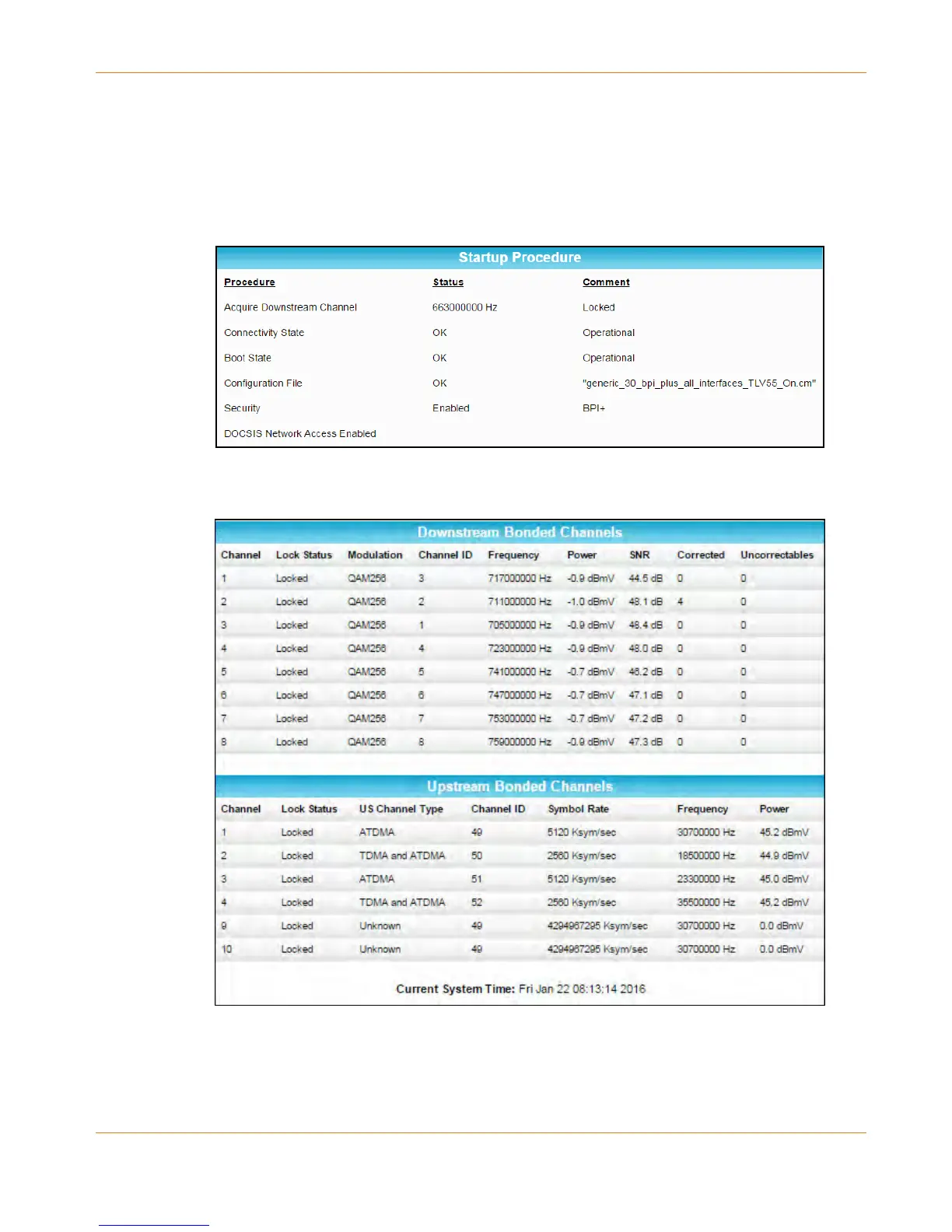
The Status screen displays (see Figures 10 and 11).
3. Press F5 to refresh or update the information on the screen.
Figure 10: CM8200 Status Screen (1 of 2)
Figure 11: CM8200 Status Screen (2 of 2)













 To Next Page