PN 365-095-30001 x.1 Touchstone CM8200 Cable Modem User Guide
Copyright 2016, ARRIS Enterprises, LLC. All rights reserved. 18
Chapter 6
Monitoring Your Cable Modem and Connected
Network
Note: You may notice that some of the CM8200 Web Manager configuration settings may be
blocked and cannot be modified. This may be due to some restrictions set up by your service
provider for security reasons and also to prevent unauthorized modifications to certain cable
modem configuration parameters. Contact your service provider to obtain special
authorization to change the cable modem frequencies or other configuration settings.
View the Cable Modem Product Information
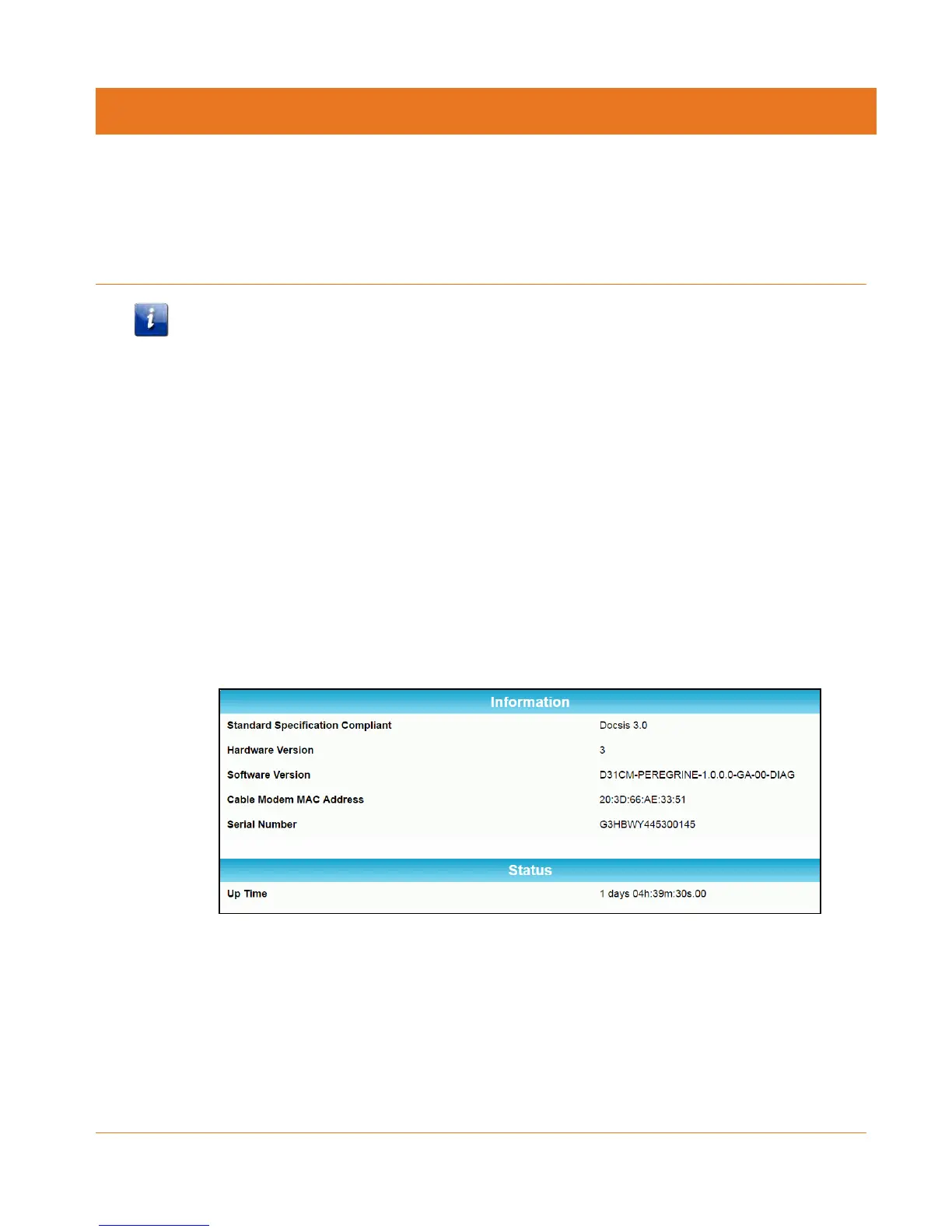
The CM8200 Product Information screen displays the hardware and firmware versions, MAC
address, serial number, and operation status for the CM8200.
To open the Product Information screen:
1. Open the CM8200 Web Manager (see Start the CM8200 Web Manager).
2. Click the Product Information menu button or link on the CM8200 Web Manager screen.
3. Press F5 to refresh or update the information on the screen.
Figure 9: CM8200 Product Information Screen
View the Cable Modem Network Connection Status
The CM8200 Status screen displays the current connection status of the CM8200 and the
downstream and upstream bonded channel connections for receive and send data
transmissions. Help is available to resolve any connection issues that resulted in a “failed”
state during the cable modem startup.













 To Next Page