Chapter 4: Installing and Connecting your Data Gateway
Release 34 DRAFT 1.6 June 2017 Touchstone DG3450 Data Gateway User Guide
© 2017 ARRIS Enterprises LLC. All Rights Reserved. 21
Configuring Your Wireless Connection
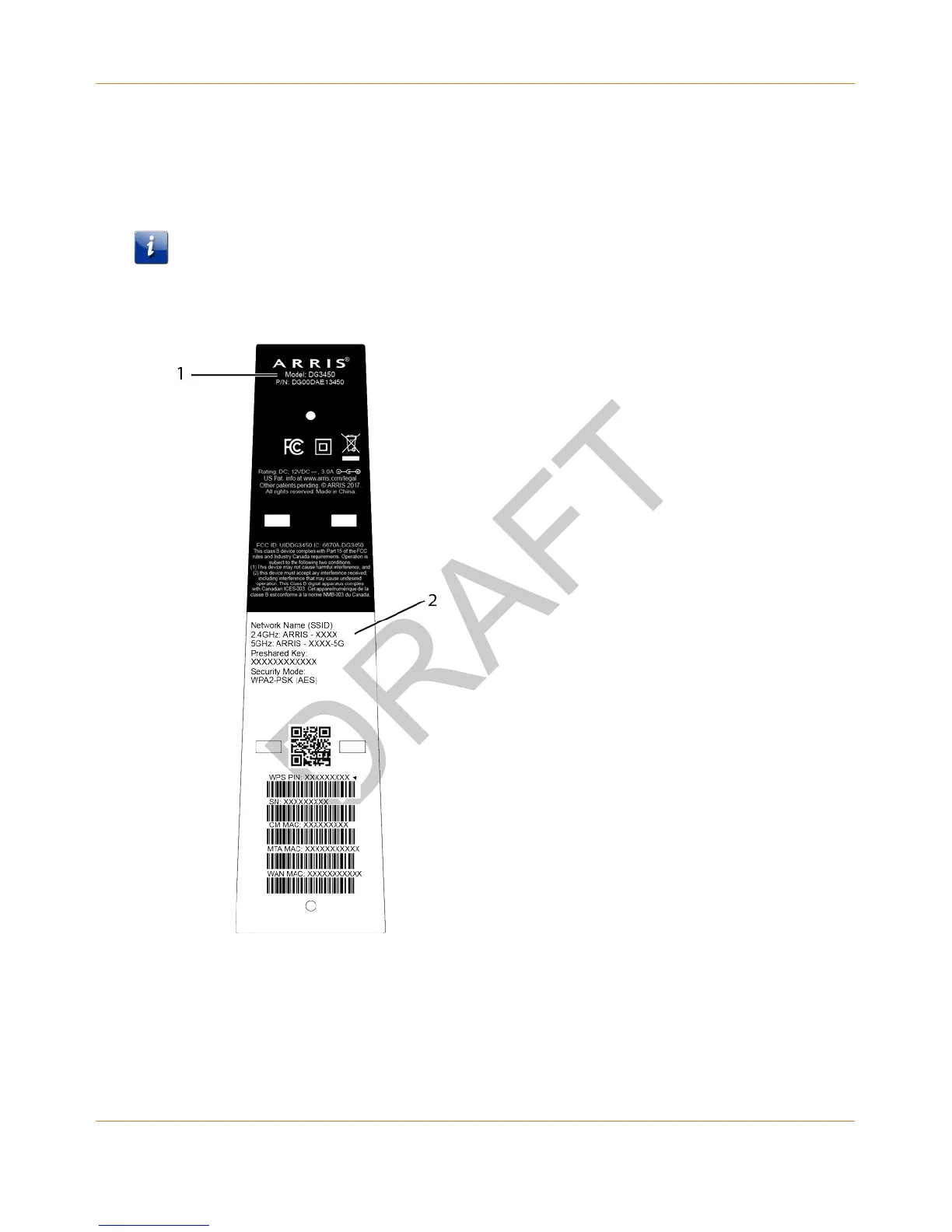
The DG3450 ships with wireless LAN security set by default. See the security label on your
product for the factory security settings.
Note: You must set up your computer and other client devices to work with the security
settings on the DG3450. Refer to the documentation for your client device for instructions
on setting security. On most computer systems you only need to select the network name
(SSID) device and enter the encryption key.
1. Security Label
If you need to modify the Data Gateway’s default wireless security settings, or if you want to
configure any other wireless LAN settings, refer to the following instructions.







 To Next Page