Artistic Licence Engineering Ltd. Micro-Scope 3a user guide
The patch is used to select the DMX512 channel allocation that is
used in the ‘Transmit Memory’ menu.
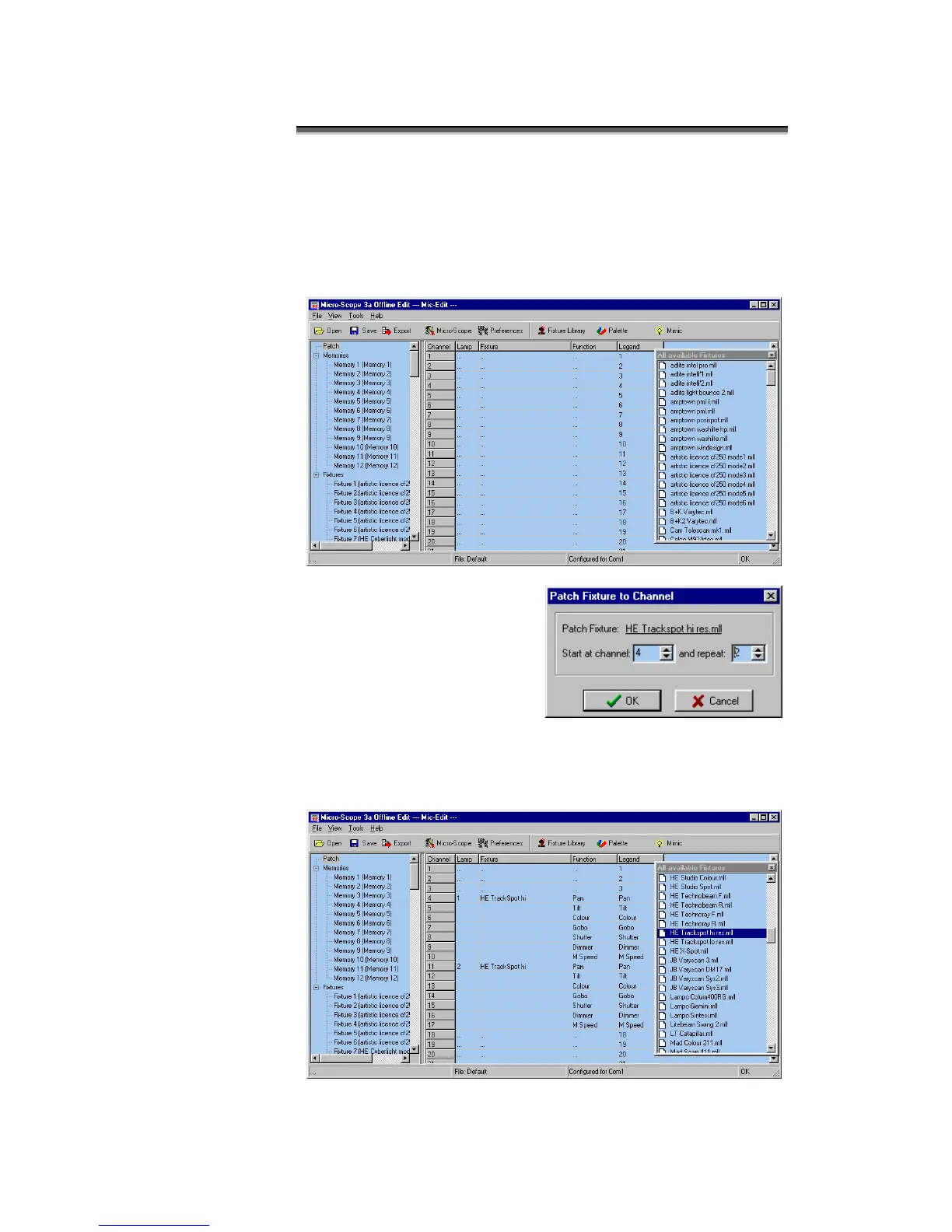
When the ‘Patch’ option is selected in the Show Panel, the patch
spreadsheet is then displayed in the Edit Panel.
Click the Fixture Library button at the top of the screen. The
palette of available fixtures is then displayed:
Select the required lamp from
the palette and drag in onto the
required start channel of the
patch.
A dialogue is displayed which
confirms the start channel and
the number of lamps to be
patched.
The example shown will patch two High End Trackspots starting at
channel 4. The resulting patch is shown below:



 To Next Page