Artistic Licence Engineering Ltd. Micro-Scope 3a user guide
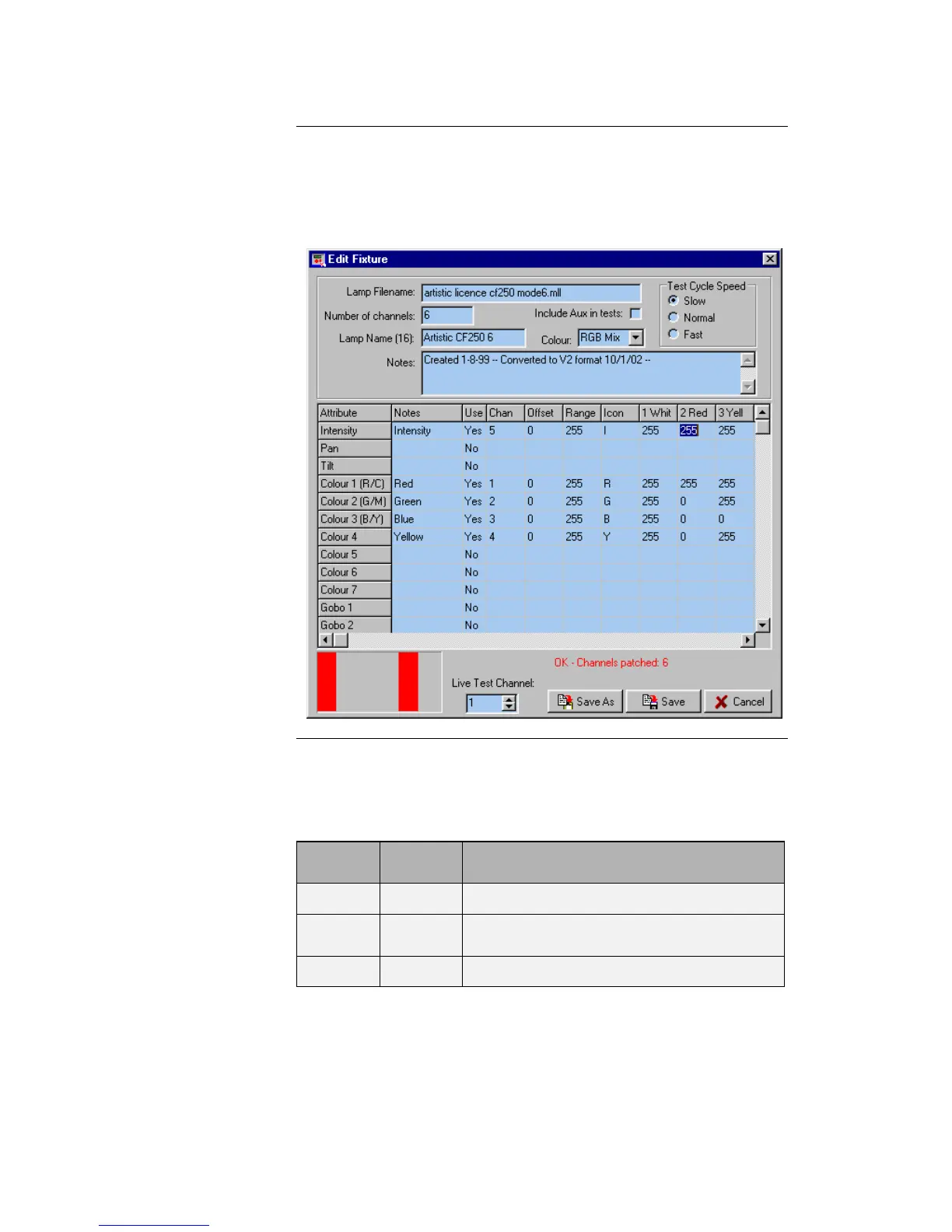
To edit a fixture personality, double click on a fixture entry in the
Fixture Palette.
The following dialogue is displayed (this example is the Artistic
Licence Colour-Fill CF250 mode 6).
The spreadsheet displayed allows each of the possible fixture
attributes to be controlled. Each attribute (pan, tilt etc.) contains
the settings detailed below:
Defines the fixture channel type.
This field is simply for your information; it
is not downloaded to the Micro-Scope 3a.
Set to Yes if this channel function is active.



 To Next Page