Artistic Licence Engineering Ltd. Micro-Scope 3a user guide
EDITING
MICRO-
SCOPE 3A
CONFIG
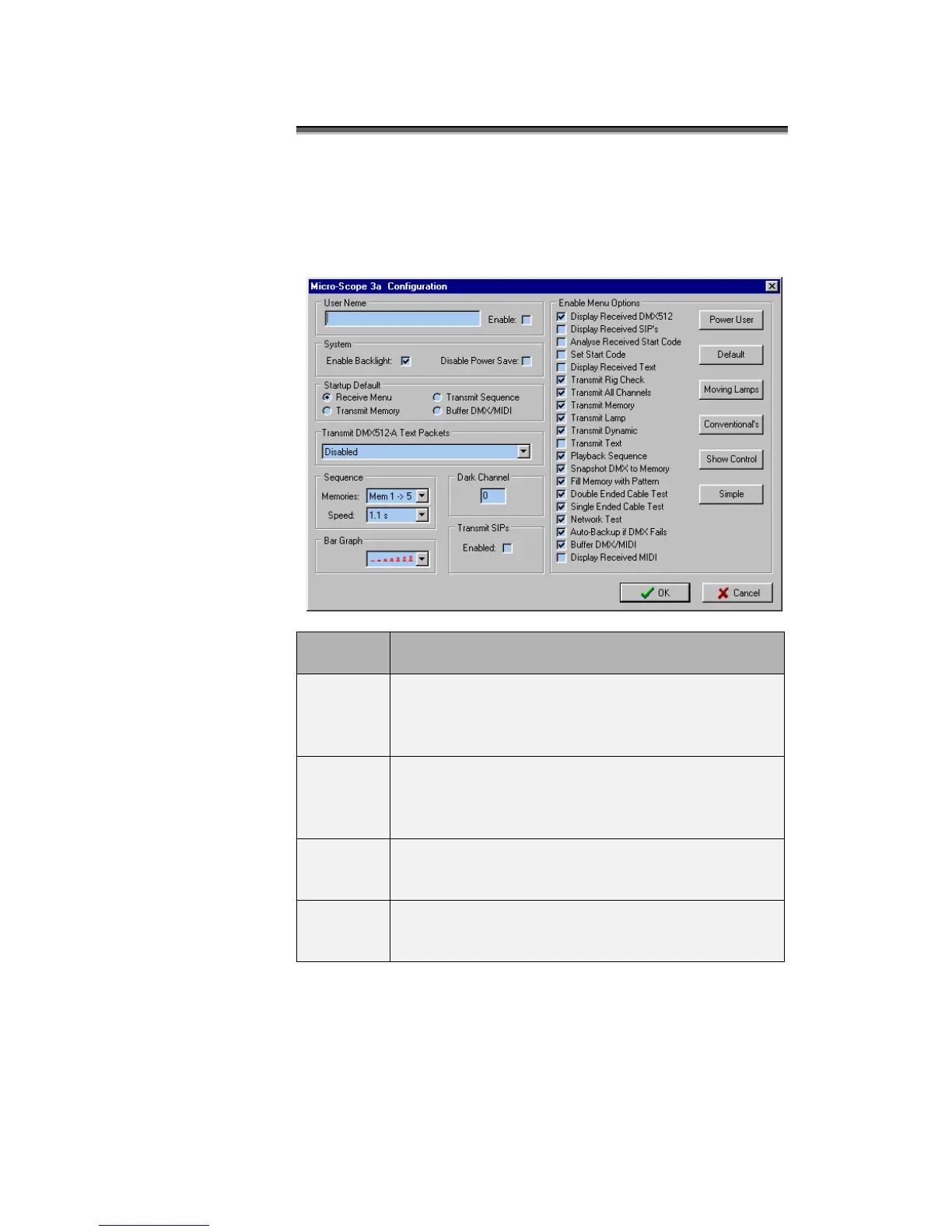
The Micro-Scope 3a configuration dialogue is displayed by clicking
the Micro-Scope button at the top of the screen.
The dialogue displayed, allows access to all the Micro-Scope 3a
configuration items.
When the enable box is ticked, the 32 character user
name will be displayed when Micro-Scope 3a is
switched on. The user name is also displayed when
Micro-Scope 3a enters power saving mode.
When ticked, the backlight is enabled. On battery
power, the backlight switches of after a period of
inactivity. On mains power, the backlight is
continuously on.
When ticked, Micro-Scope 3a will not enter power
saving mode.
This is used to select one of four possible start menus.
The selected menu is used when Micro-Scope 3a is
switched on or exits from power saving.



 To Next Page