ARTURIA – CS-80V – USER’S MANUAL
26
3.5 OVERVIEW OF MULTI MODE
The CS-80V allows the creation of 8 parallel voices and thus, in theory, 8 different
sounds played at the same time.
On the original CS-80, a note was controlled by a card that was filled with electronic circuits that represented
the complete synthesis architecture. It is for this reason that we could, for example, obtain notable differences
in the settings of a sound between the notes played and the tuning of the oscillator.
The CS-80V conserves this ideal: you can program eight different sounds (eight voices), which are assignable in
a multitude of applications.
With Multi mode, it is possible for you to assign each of these 8 voices to 4 keyboard
zones and to 4 different MIDI channels. These 8 voices can also be superimposed across
the entire keyboard in order to create a composite sound that is very rich and expressive
(«Unison»).
Let’s use an example:
Choose the preset «split1» in the «Templates» bank and «Multi1» sub-bank. In this
example, the 8 voices all have the same settings.
The first 4 voices will occupy zone1 (C1 to C3), the fifth will occupy zone2 (C#3 to C5),
the sixth will occupy zone 3 (C#5 to C6) and finally the seventh and eighth will occupy
zone 4 (C#6 to C7).
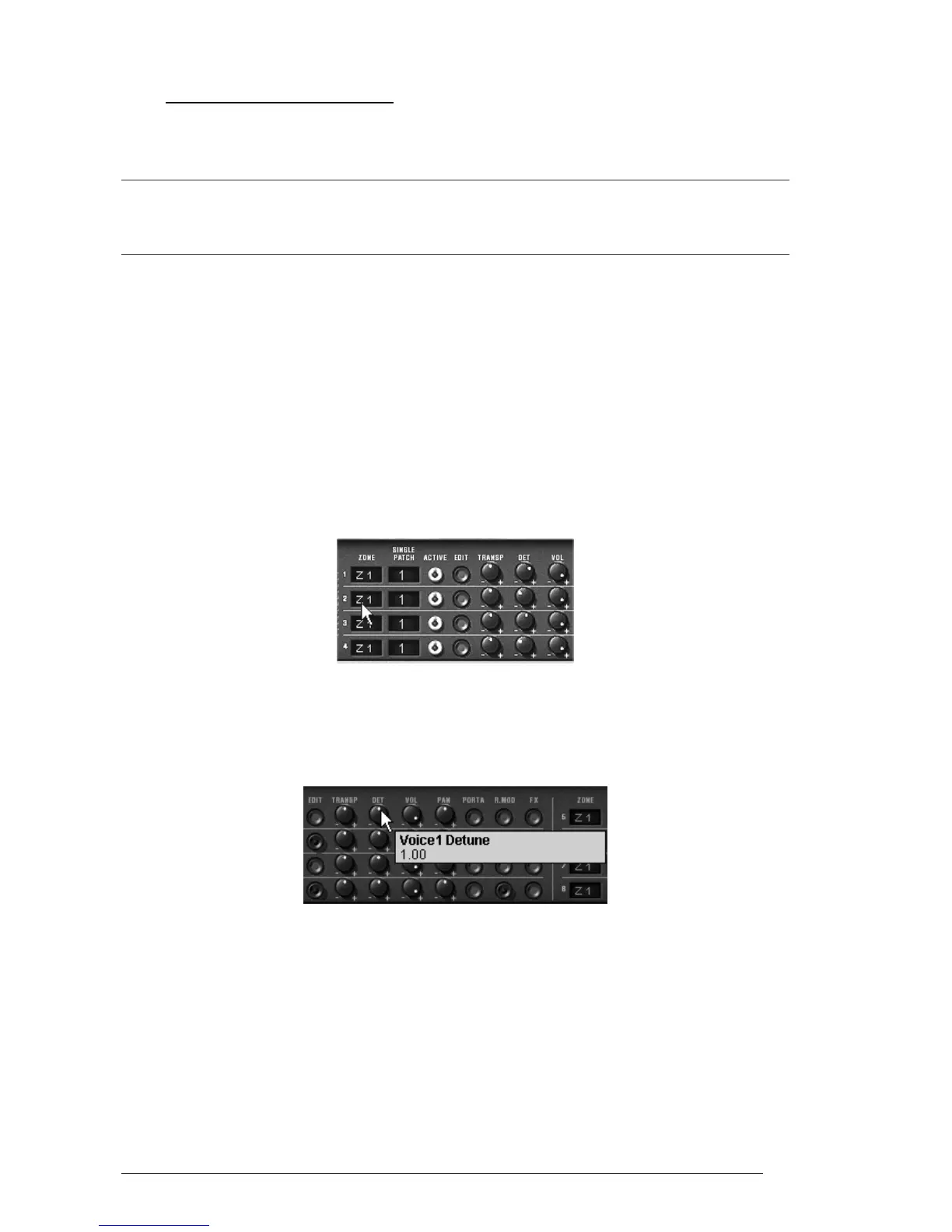
Each of the 4 zones receives one different single sound (the «singles» named 1,2,3 and
4).
Allocation of voices to the different zones on the keyboard
Start by changing the pan position of the first voice. Place the sound on the right
(turn the knob «Pan» fully to the right – value of 1.00).
Detune this voice by lightly turning the knob «Detune» to the right (value of +1.00)
Multi mode voice settings
Now change the pan position of the second single (fully to the left - value 1.00L)
Detune the third (put the knob «Detune» to a value of 0.96)
Lightly change the pan position of this single to the right - value 0.78R)
Detune the fourth (put the knob «Detune» to a value of +1.00)
Place these 4 voices to «Unison» mode by selecting the «UniLast» function in the
«play mode» menu in the edit zone.



 To Next Page