1
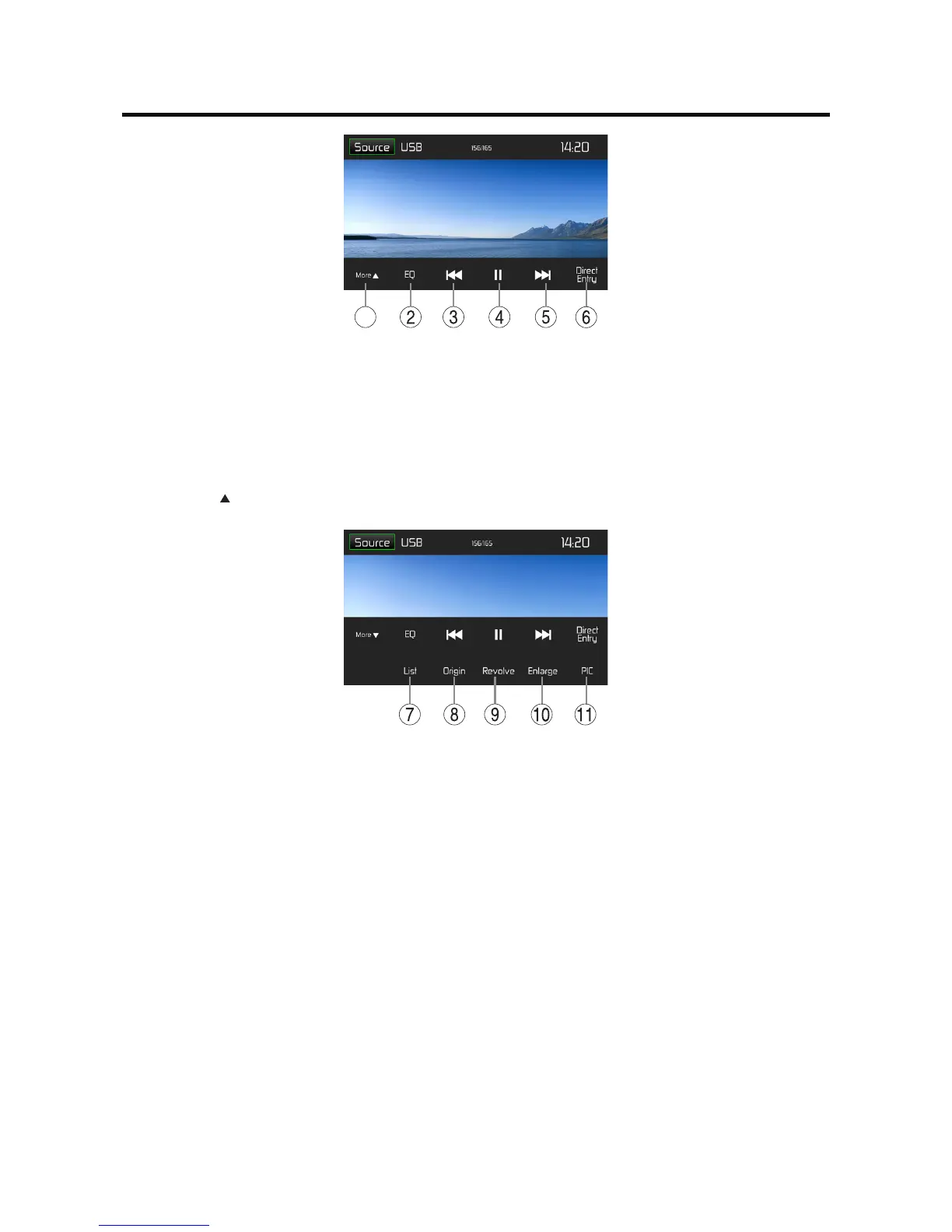
1. Show/Hide the next line of options menu.
2. Enter EQ menu.
3. Previousimage.
4. Pause playback and continue playback.
5. Next image.
6. Display keypad to directly enter the number of the desired title.
Tap on [ More ] to display additional operating options of the playback menu.
7. Display the folder/le list.
8. Showtheoriginalphoto.
9. Rotate images .
10. Zoom in/out.
11. Adjust the brightness, contrast, and saturation.



 To Next Page