10
DSL-N12E Chapter 1: Knowing your wireless router
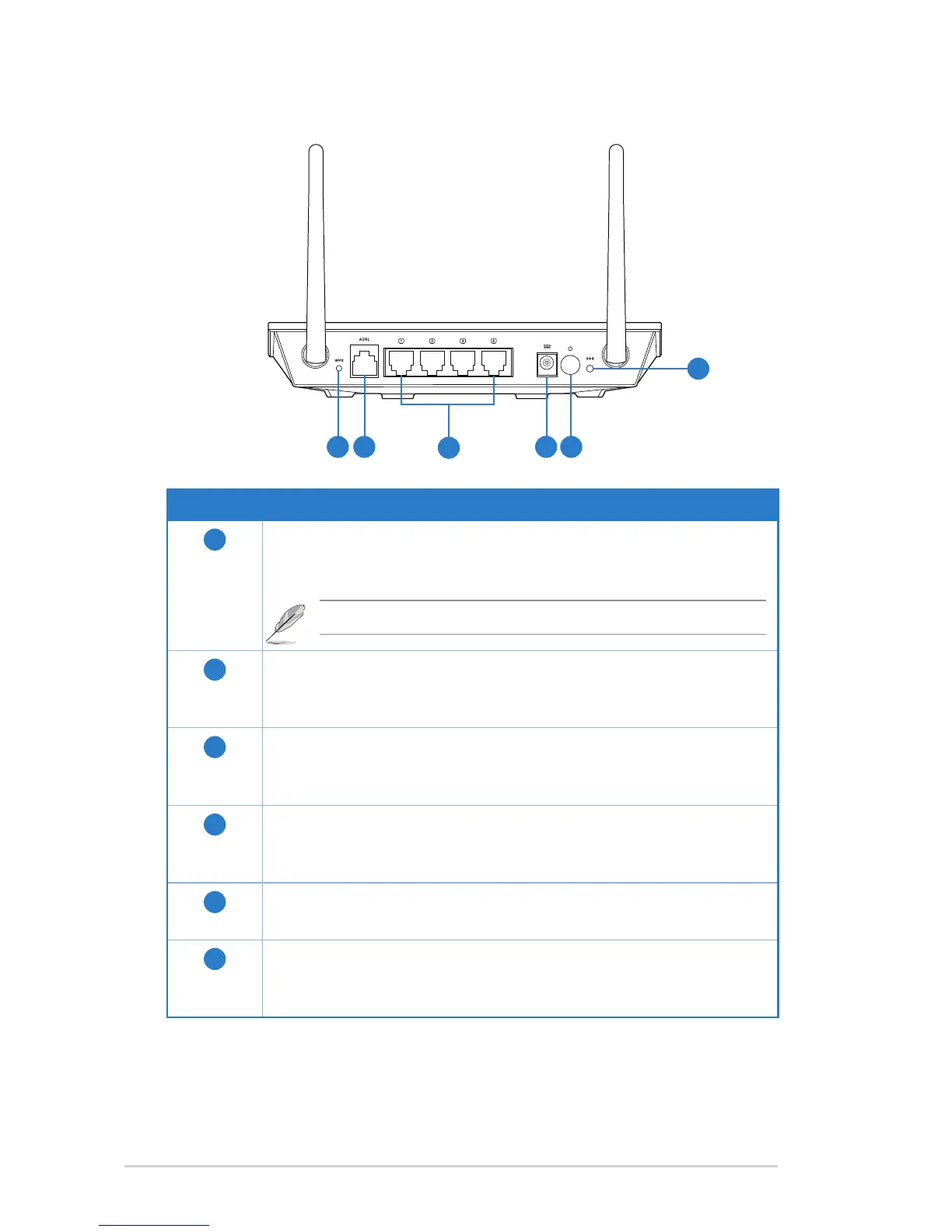
Item Description
1
WPS button
Press this button for more than ve seconds to enable the WPS
function.
2
ADSL port
Connect an RJ-11 telephone cable to this port or a splitter
connected from this port.
3
LAN 1 ~ 4 ports
Connect RJ-45 Ethernet cables to these ports to establish LAN
connection.
4
Power (DC-In) port
Insert the AC adapter into this port to connect your router to a
power source.
5
Power switch
Press this button to turn the power on/off.
6
Reset button
Using a pointed blunt object, press this button for more than one
second to reset the system to its factory default settings.
Rear panel
Note: If you press the button for one to ve seconds, no function takes effect.
6
54
3
2
1



 To Next Page