39
Chapter 4: Conguring via the web GUI DSL-N12E
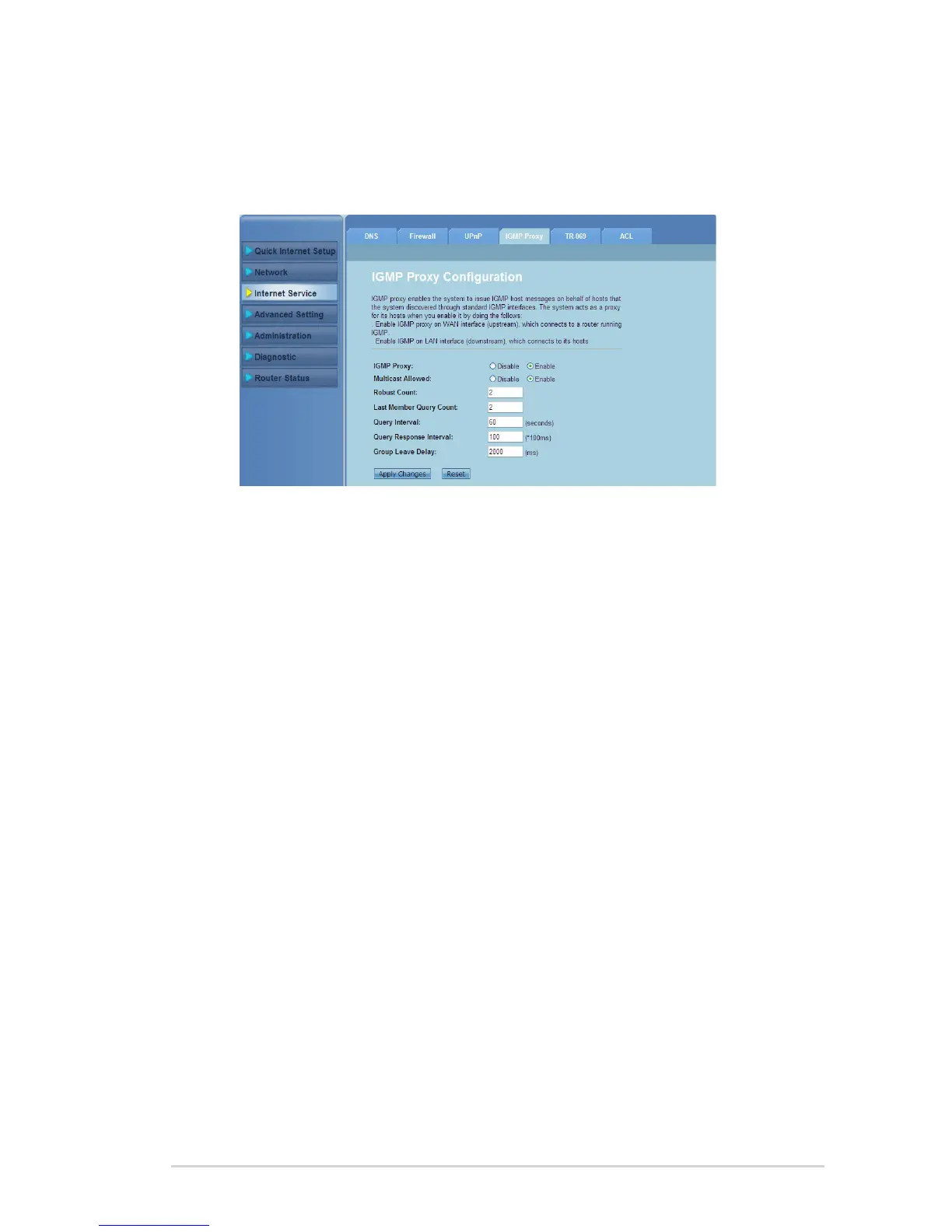
Conguring the IGMP Conguration settings
The IGMP (Internet Group Management Protocol) Proxy Conguration page allows
you to congure the amount of IPTV packets that can be received through a proxy.
To congure the IGMP settings:
Click Internet Service > IGMP Proxy tab.
Tick Enable in IGMP Proxy and Multicast Allowed options.
In the Robust Count and Last Member Query Count elds, key in their
variables. The default values are 2 and 1 respectively.
In the Query Interval eld, key in the amount of time in seconds between
IGMP general query messages sent by the router. The default value is 125
seconds.
In the Query Response Interval eld, key in the maximum time value that
the IGMP waits to receive a response to a general query message. The
default value is 10 seconds.
In the Group Leave Delay eld, key in the time value in milliseconds.
Click Apply Changes to save the settings.
1.
2.
3.
4.
5.
6.
7.



 To Next Page