32
DSL-N12E Chapter 4: Conguring via the web GUI
Conguring the Internet service settings
The Internet Service function allows you to congure the following Internet service
settings: DNS, Firewall, UPnP, IGMP, Proxy, TR-069, and ACL.
Click Internet Service.
Click the tabs of the following Internet service conguration: DNS, Firewall,
UPnP, IGMP Proxy, TR-069 and ACL.
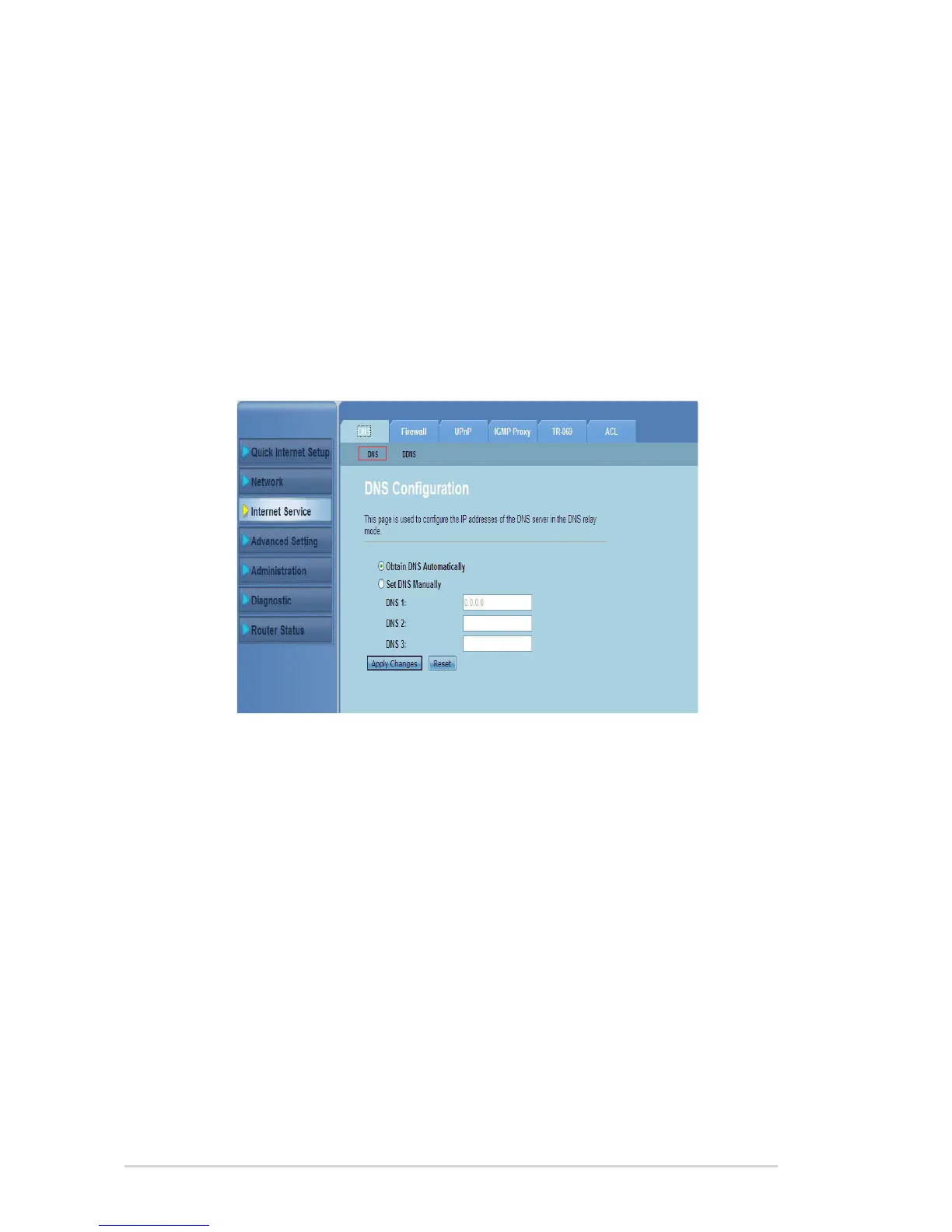
Conguring the DNS settings
The DNS (Domain Name System) page allows you to automatically obtain the
DNS server address from the DHCP server or manually assign an IP address for
the DNS server.
1.
2.
To congure the DNS settings:
Click Internet Service > DNS tab > DNS.
Select Obtain DNS Automatically or Set DNS Manually, key in the IP
address that you want to assign to the DNS server.
Click Apply Changes to save the settings made.
1.
2.
3.



 To Next Page