31
Chapter 4: Conguring via the web GUI DSL-N12E
To congure the WAN IP settings:
In the Type dropdown list, you can select Fixed IP or DHCP.
In the Local IP Address eld, key in the IP address of the WAN inteface
provided by your ISP.
In the Netmask eld, key in t he subnet mask of the local IP address. Tick
Unnumbered to enable the IP unnumbered function.
Click Add to add the congured parameters into the Current ATM VC Table.
To modify the parameters on this page, select from the Current ATM VC
Table, and modify the parameters. After modifying, click Modify to apply the
settings to the PVC.
1.
2.
3.
4.
5.
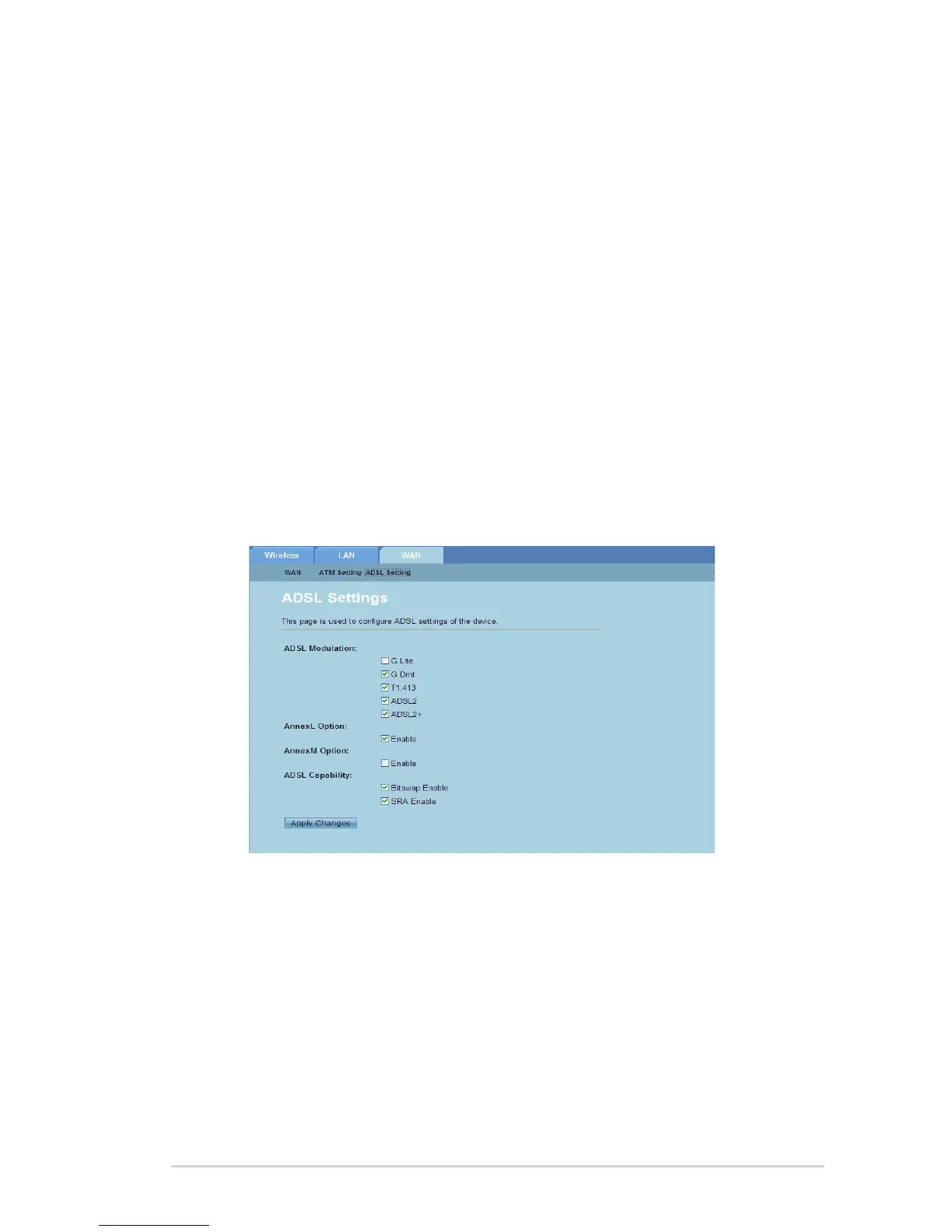
Conguring the ADSL Settings
The ADSL Settings page allows you to congure the ADSL settings.
To congure the ADSL settings:
Click Network > WAN tab > ADSL Setting.
Select the options that you want to apply.
Click Apply Changes to apply the settings made.
1.
2.
3.



 To Next Page