46
DSL-N12E Chapter 4: Conguring via the web GUI
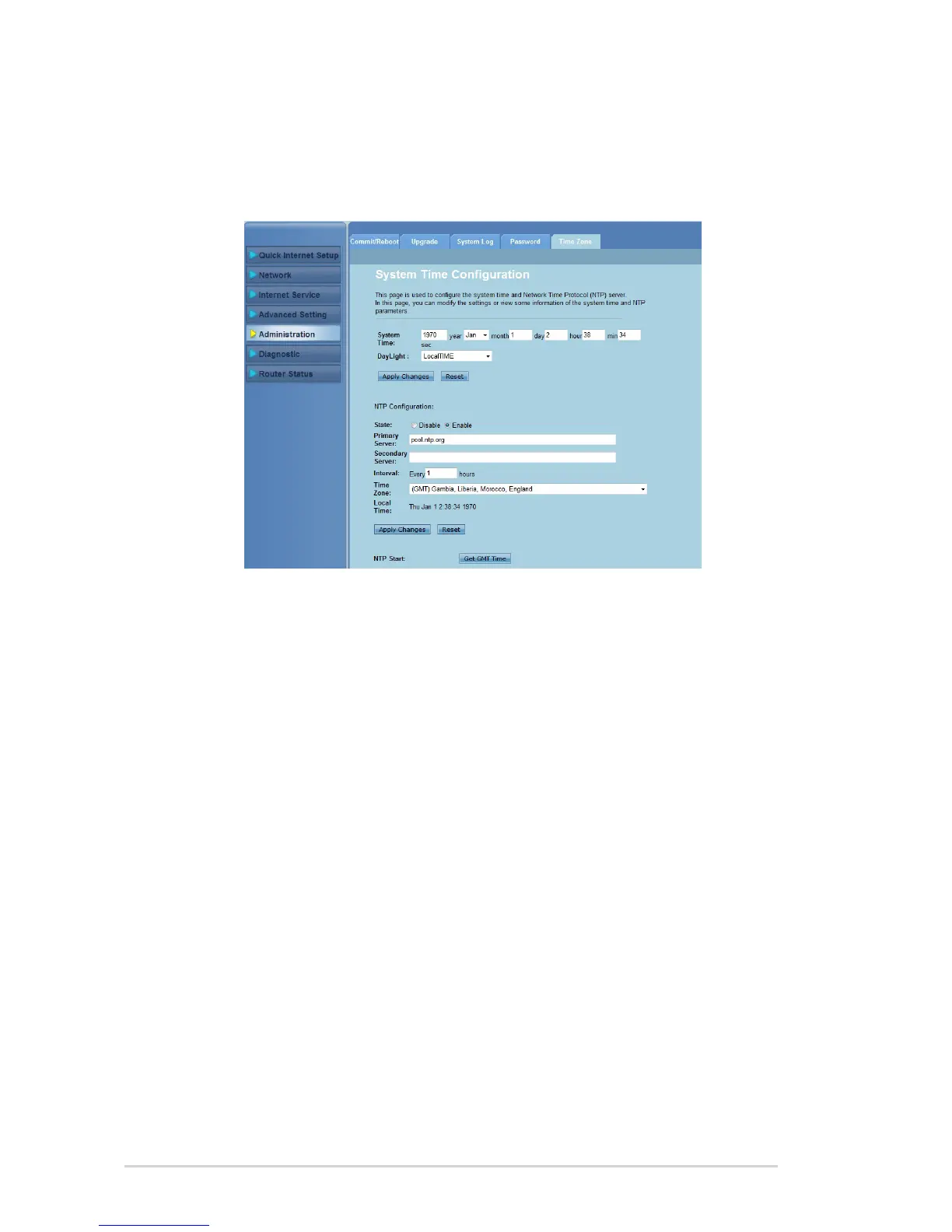
Conguring the system time settings
The System Time Conguration page allows you to congure the system time
manually or obtain the system time automatically from the time server.
To congure the system time manually:
Click Administration > Time Zone tab.
In the System Time eld, key in the necessary information.
Click Apply Changes to save the settings made.
To obtain the system time automatically:
Click Administration > Time Zone tab.
In the State eld under NTP Conguration, tick Enable to enable the
Network Time Protocol (NTP) function.
Key in the necessary information.
Click Apply Changes to save the settings made.
1.
2.
3.
1.
2.
3.
4.



 To Next Page