14
DSL-N12E Chapter 2: Getting started
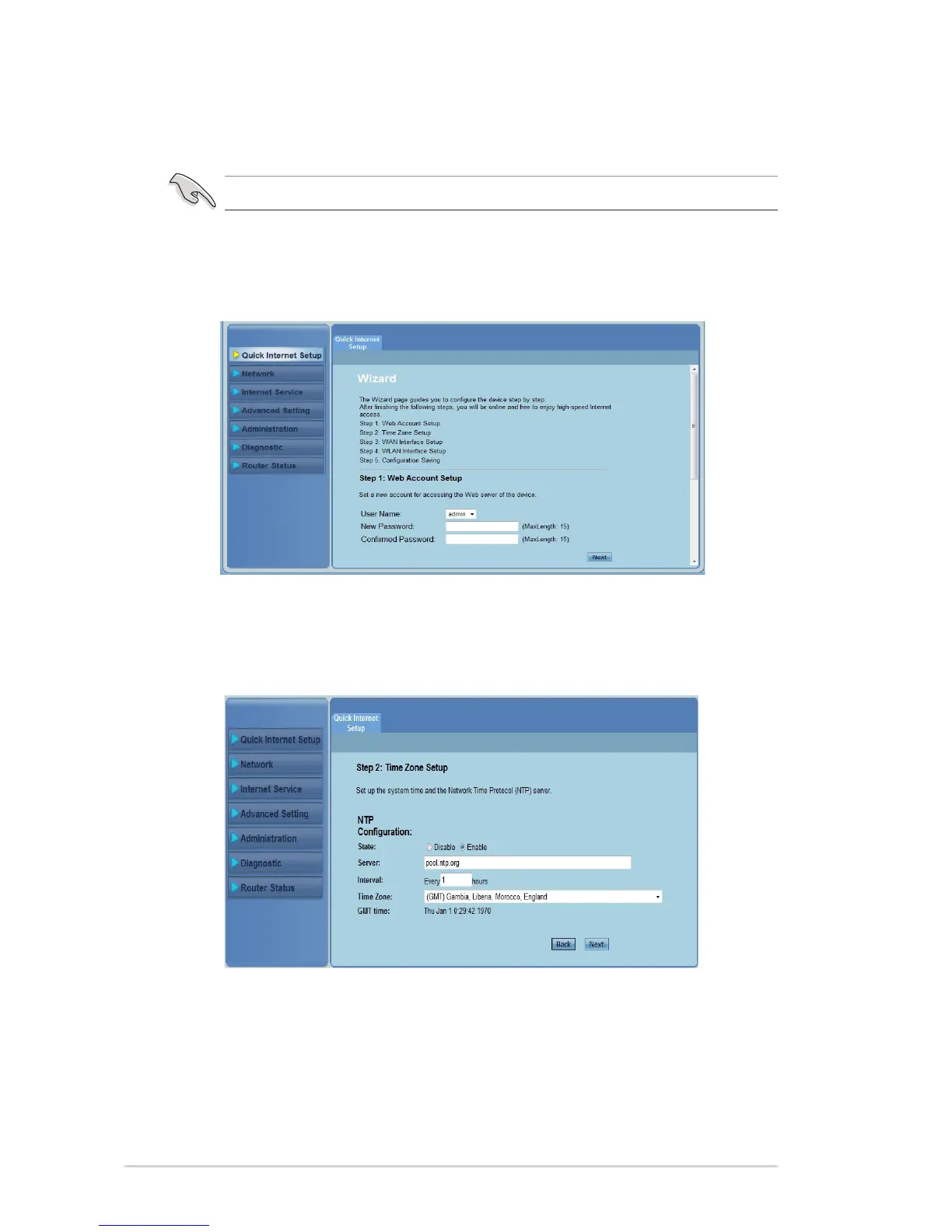
In Step 2: Time Zone Setup page, tick Enable to enable the NTP
function, and key in the necessary information. Click Next.
3.
Important: Obtain the necessary information about your Internet connection type from your ISP.
Using the Quick Internet Setup (QIS)
The Quick Internet Setup (QIS) function guides you in quickly setting up your
Internet connection.
Click Quick Internet Setup.
In Step 1: Web Account Setup page, key in the necessary information
and click Next.
1.
2.



 To Next Page